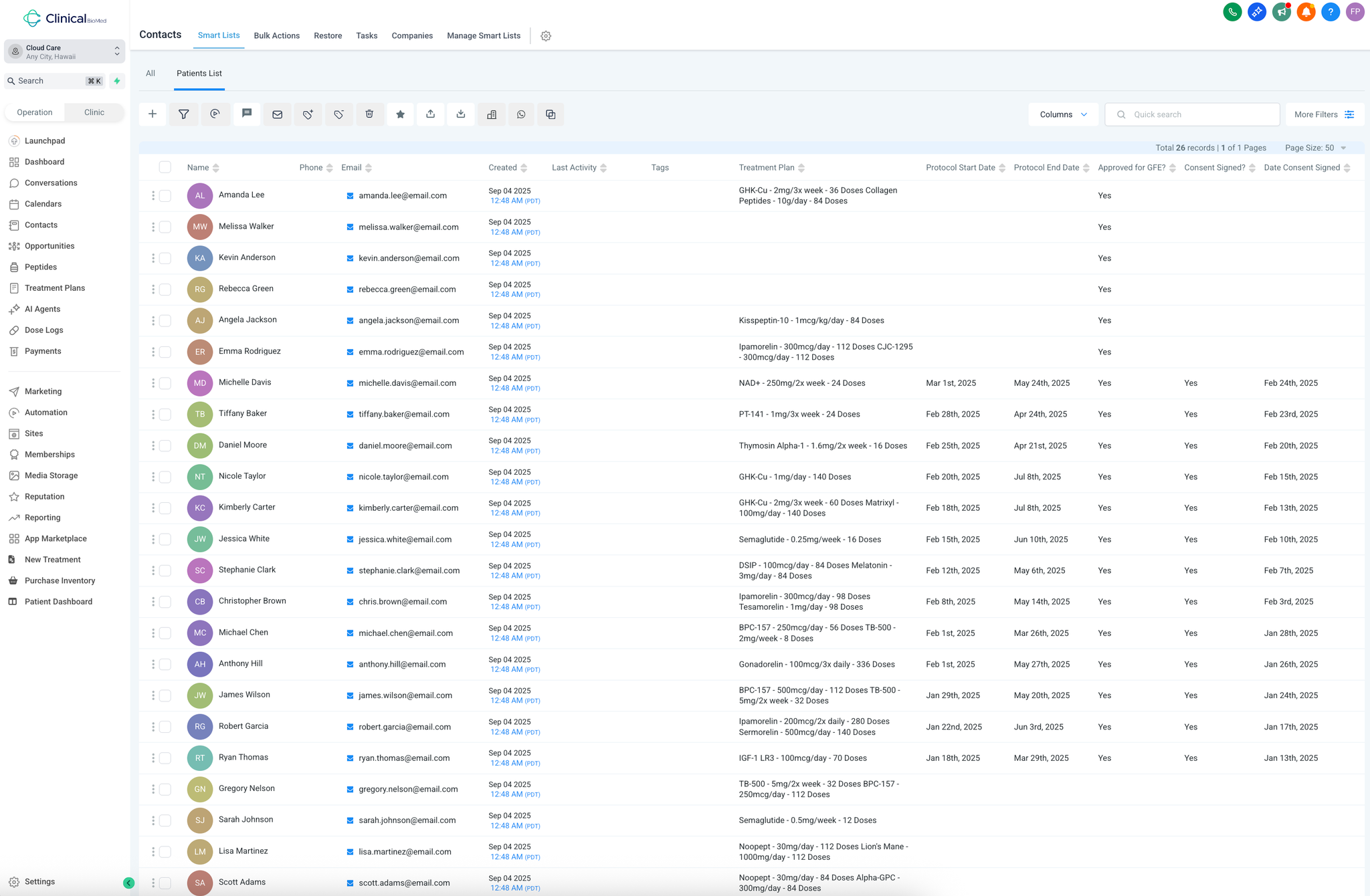
Main Contacts View
Access your patient database by navigating to the Contacts page from the left sidebar - this displays all patients in your practice with key information at a glance.Review patient treatment status using the visible columns:Treatment Plan : Shows current protocols (e.g., "Semaglutide - 0.5mg/week - 12 Doses")Approved for GFE : Must show "Yes" before any treatment beginsConsent Signed : Must show "Yes" before starting protocolsDate Consent Signed : Tracks compliance documentationFilter and organize patients using the More Filters option:Filter by treatment plan to find patients on specific protocols Sort by creation date to follow up with recent inquiries Use custom fields to segment by any patient criteria
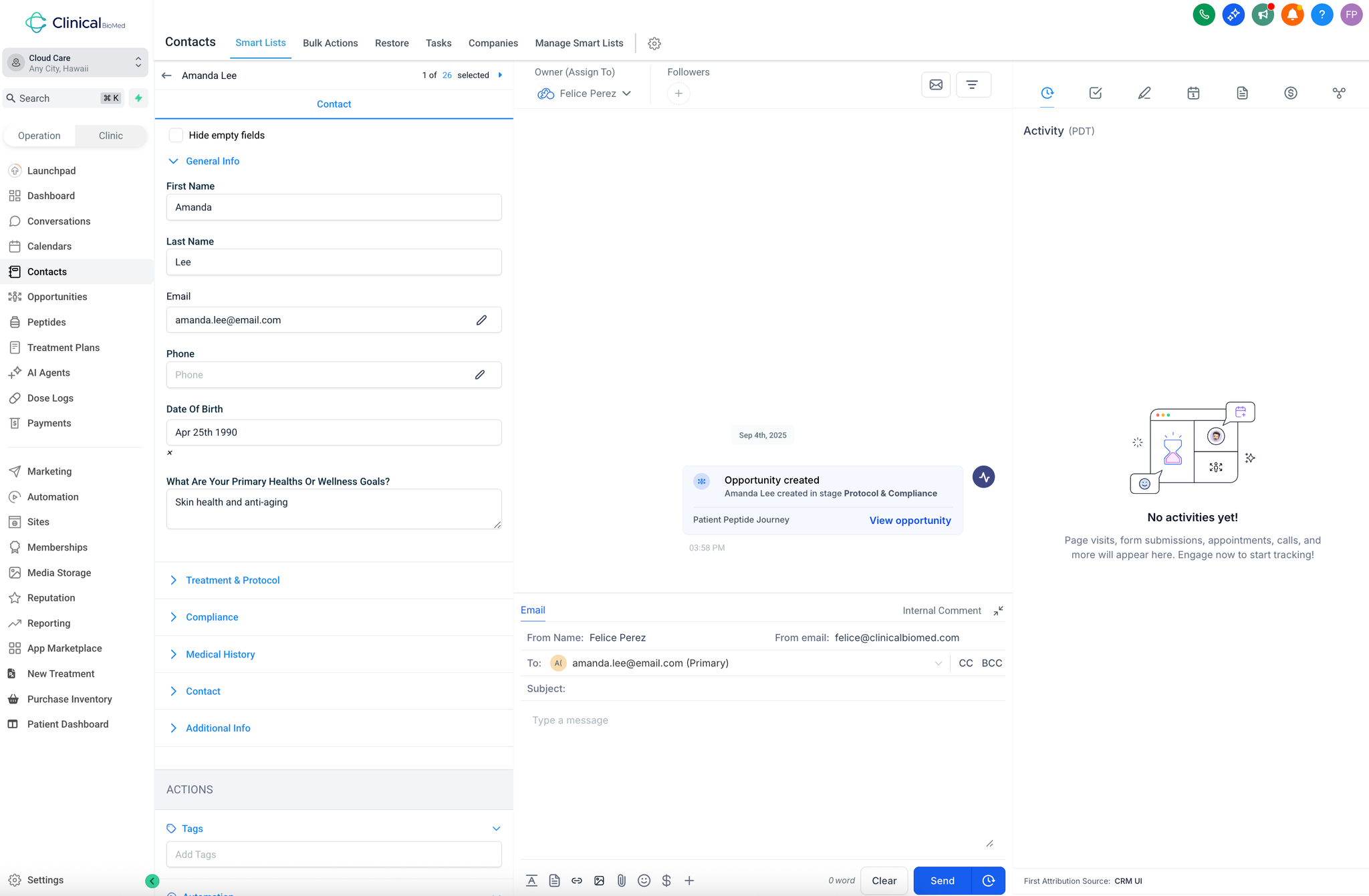
Individual Patient Records
Access detailed patient information by clicking on any patient name to open their complete profile.Review General Information section :Verify contact details and date of birth Check primary health/wellness goals Confirm treatment protocols and dosing schedules Monitor Treatment & Protocol status :Review current treatment assignments Check protocol start and end dates Verify compliance requirements are met Document patient interactions in the center conversation area:All SMS and email communications display here Maintain complete communication history Track patient responses and engagement Manage patient tasks and notes in the right sidebar:Activity : View all patient interactions and form submissionsTasks : Assign follow-up items to team members with due datesNotes : Document consultation findings and treatment observationsAppointments : Track scheduled treatments and follow-upsPayments : Monitor payment status for online transactionsAccess compliance documents through the Documents section:Send consent forms via copy link Track document completion status Ensure all legal requirements are met before treatment