
Loom: Coming Soon
Before starting registration, collect:
Business Details:
- Legal business name
- Tax ID/EIN number
- Business address
- Industry: Healthcare Services
- Website URL
Campaign Details:
- Use Case Category: Healthcare - Appointment & Medication Reminders
- Sample Messages: (see templates below)
Step-by-Step SOP:
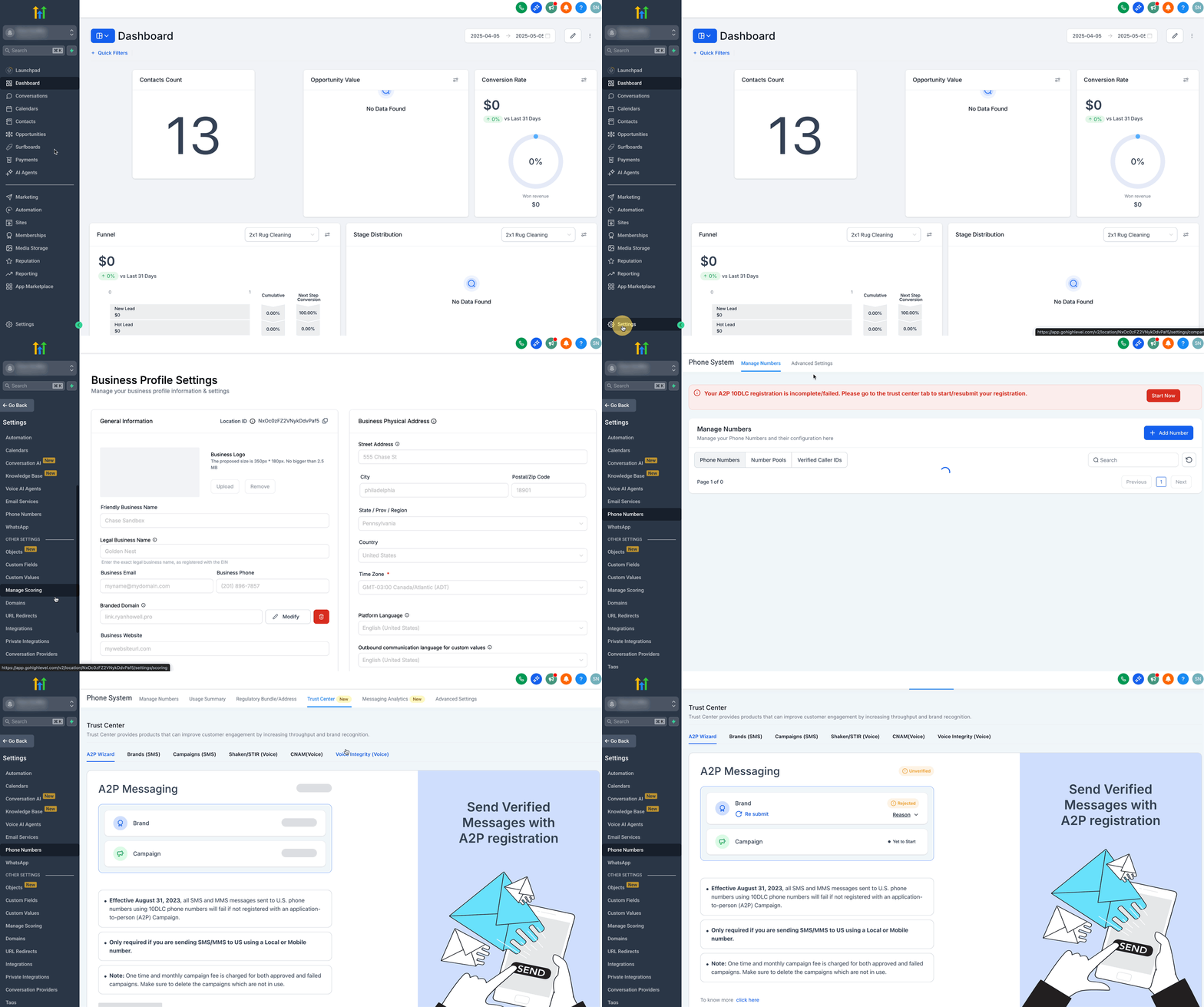
- Navigate to Trust Center
- Click on Settings from your sub-account.
- Select Phone Numbers under Business Services.
- Click on the Trust Center tab.
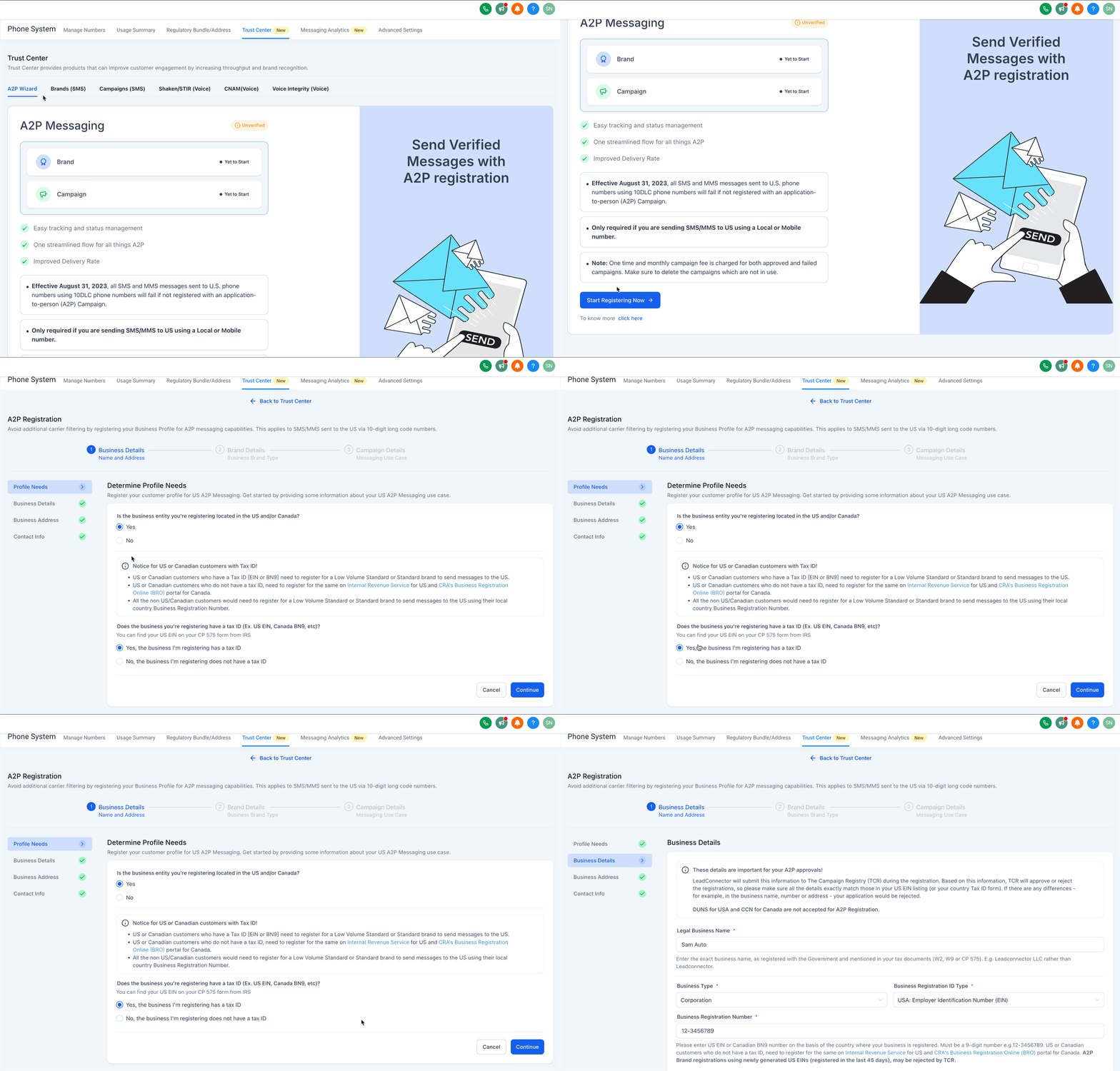
- Determine Profile Needs
- Click on the Start Registering Now button under A2P Wizard tab.
- Select Yes for 'Is the business entity you're registering located in the US and/or Canada?' option.
- Select 'Yes, the business I'm registering has a tax ID' option.
- Click on Continue.
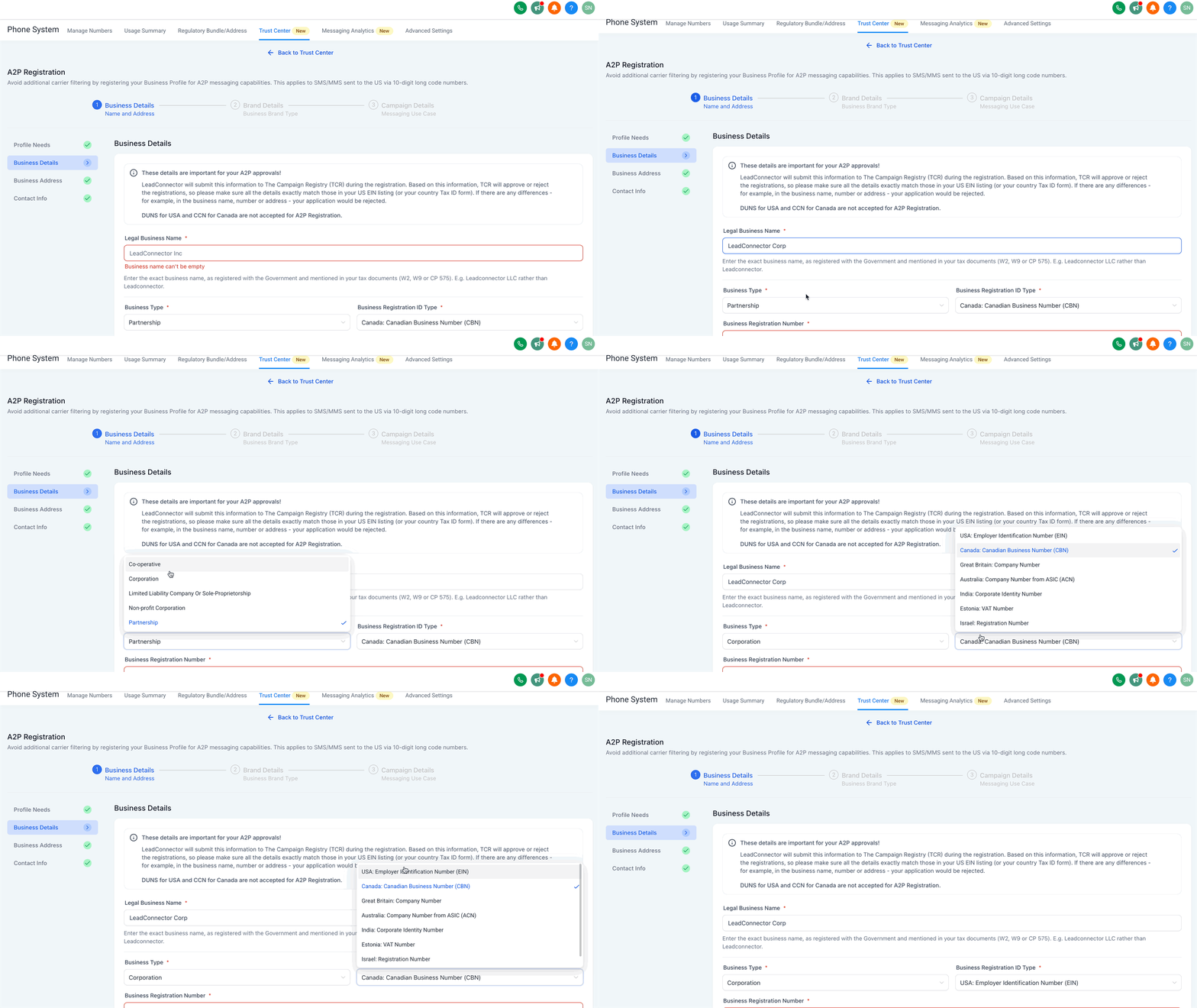
- Add Business Details
- Enter Legal Business Name as registered with the Government and mentioned in your tax documents (W2, W9 or CP 575).
- Enter your Business Type from the list.
- Choose your Business Registration ID Type from the list.
- Enter your Business Registration Number as per your country.
- Select your Business Industry from the list of available industries.
- Enter your Business Email.
- Add your Website URL.
- Select your Business Region of Operations from the list.
- Click on Continue.
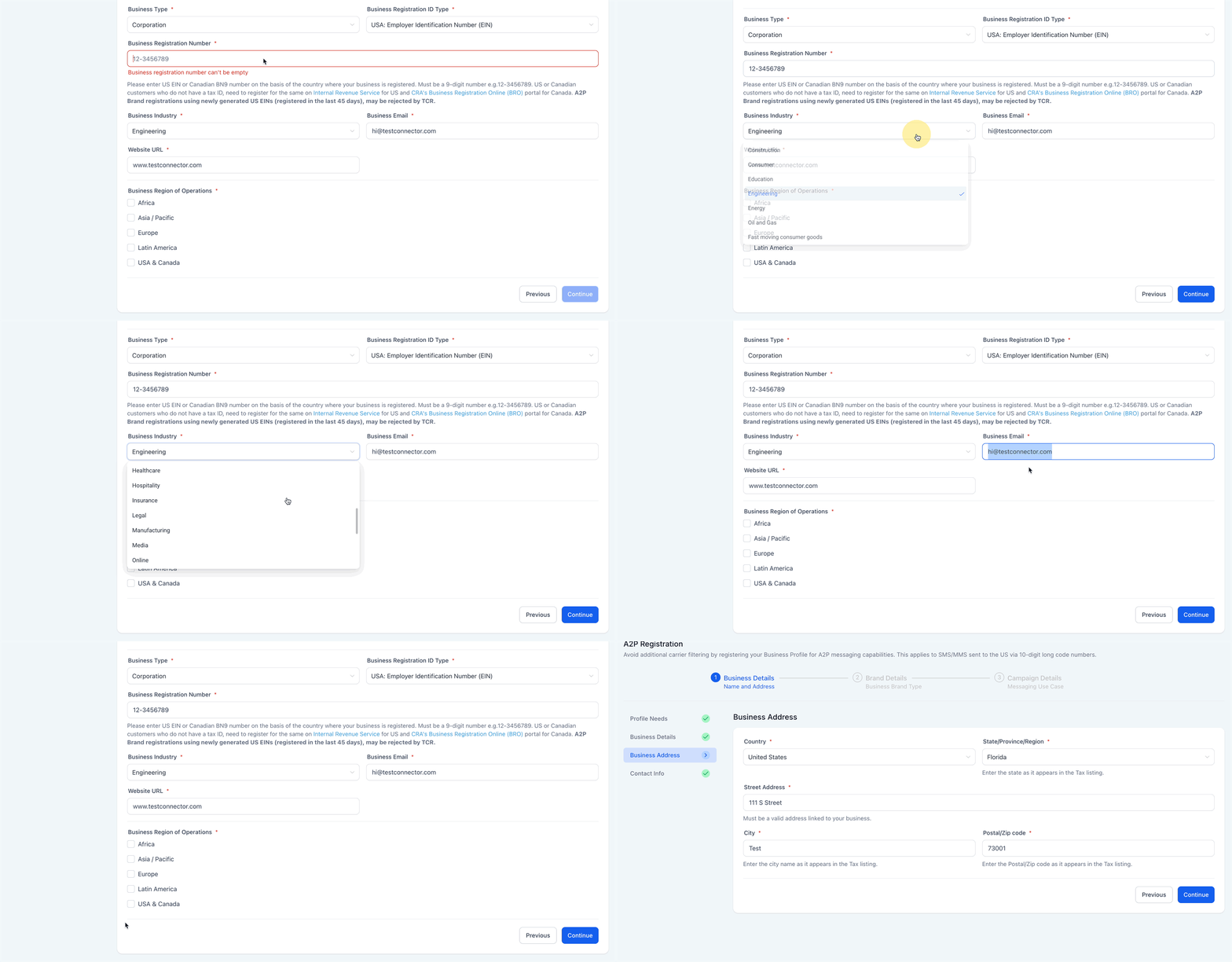
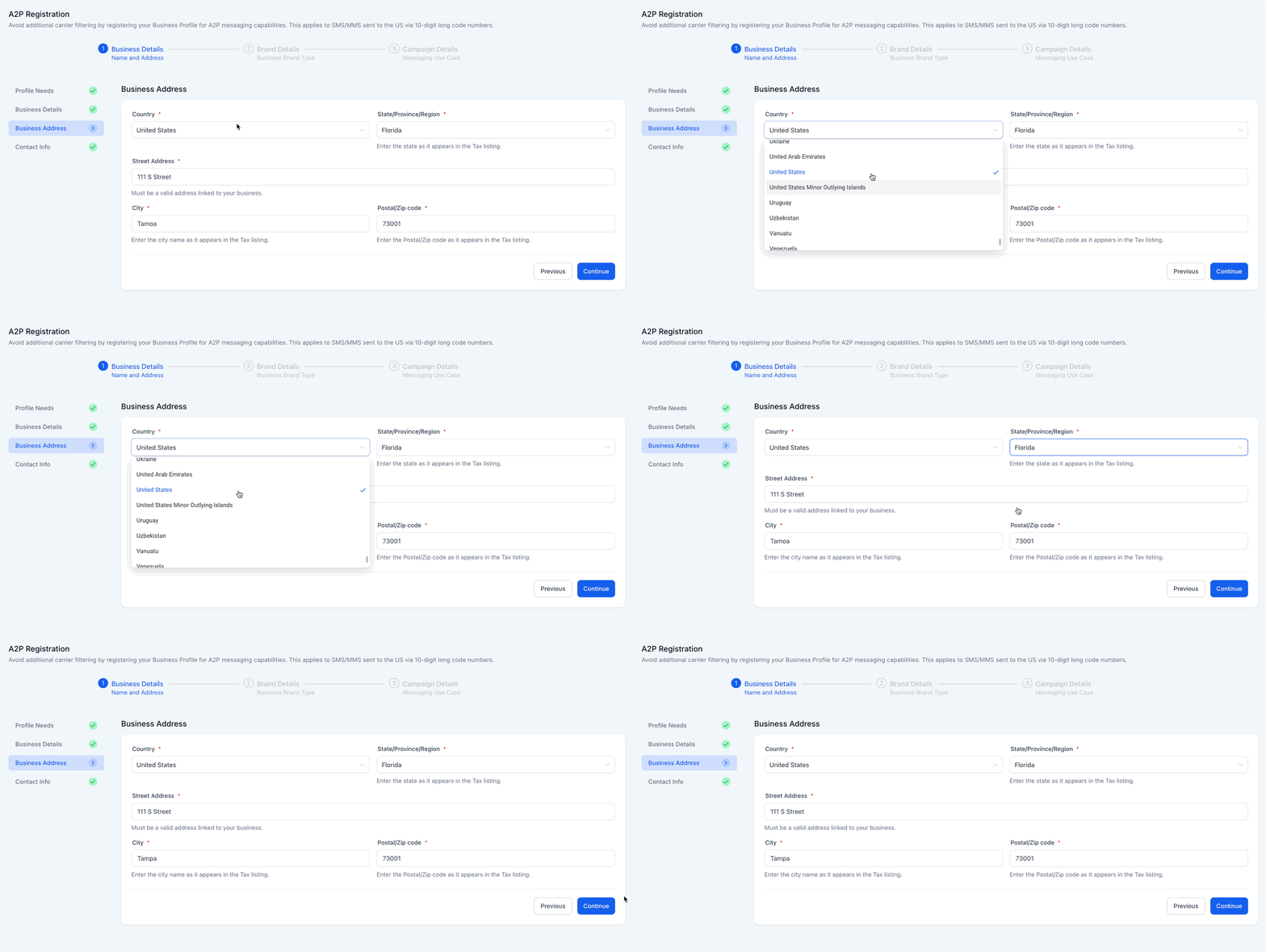
- Add Business Address
- Select your Country from the list.
- Select State/Province/Region as it appears in the tax listing.
- Add Street Address which must be a valid address linked to your business.
- Enter City as it appears in the tax listing.
- Enter Postal/Zip Code as it appears in the tax listing.
- Click on Continue.
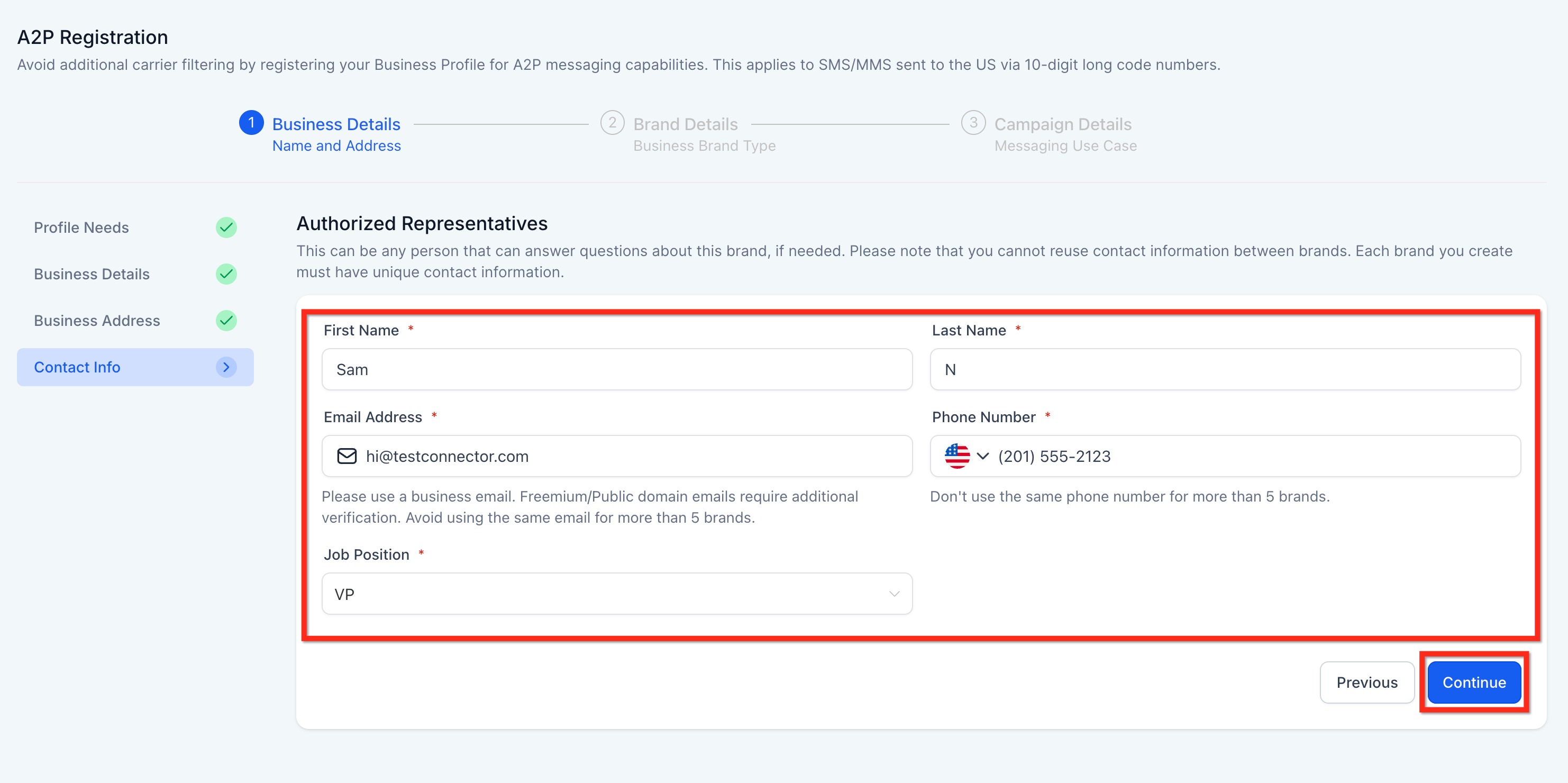
- Add Contact Info of Authorized Representatives
- Add your First and Last Name.
- Add your Email Address. (Use a business email like hi@yourdomain.com not @gmail or @outlook.com)
- Add your Phone number as per your country.
- Select Job Position from the list or select Other and add your job position.
- Click on Continue.
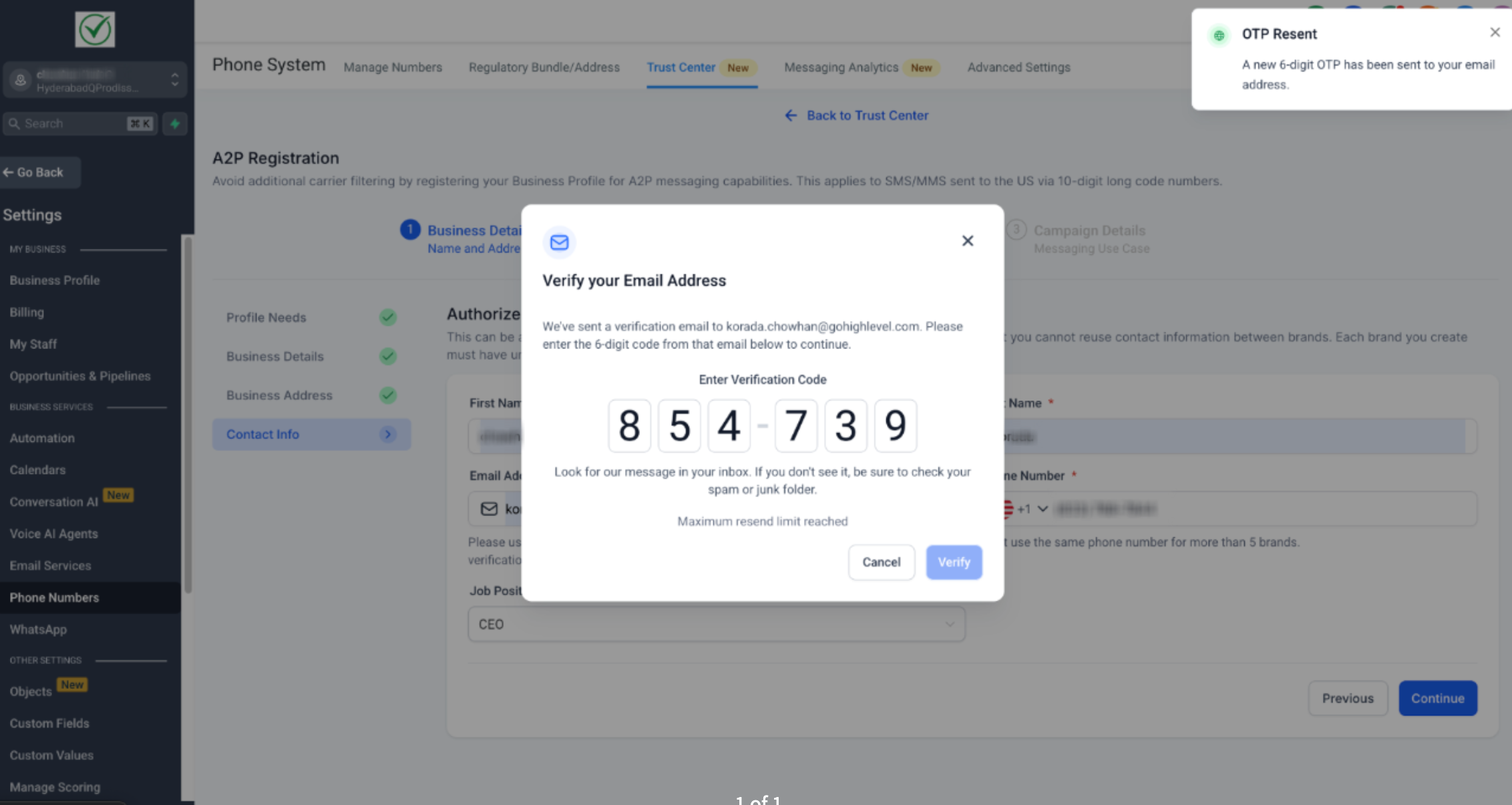
plain textIMPORTANT: Once you click "Continue" or submit your contact details, you will now have to validate this through an OTP sent to your email address. It validates each email address by sending a unique 6-digit one-time password to ensure the sender’s identity is genuine.

This new step strengthens the integrity of brand registrations and helps protect the platform from misuse without disrupting the experience for legitimate users. For more, refer toEmail OTP Verification for Secure A2P Brand Registration.
- Choose Your Business Use Case
- Low Volume Standard - It is designed for businesses with a valid EIN that need moderate-scale messaging capabilities using 10DLC.
- Requires a valid EIN (Employer Identification Number)
- Supports multiple phone numbers
- Allows up to 6,000 SMS segments per day
- One-time registration fee of $23.95 (includes $3 Fast Track fee for approval within ~3 business days)
- High Volume Standard - It is suited for larger businesses with high messaging needs, offering extensive daily capacity and multiple phone number support.
- Requires a valid EIN
- Supports multiple phone numbers
- Allows up to 600,000 SMS segments per day
- One-time registration fee of $68.05 (includes $3 Fast Track fee for approval within ~3 business days)
The Business Brand Type will be automatically set to "Low/High Volume Standard" based on the responses provided under Profile Needs.\
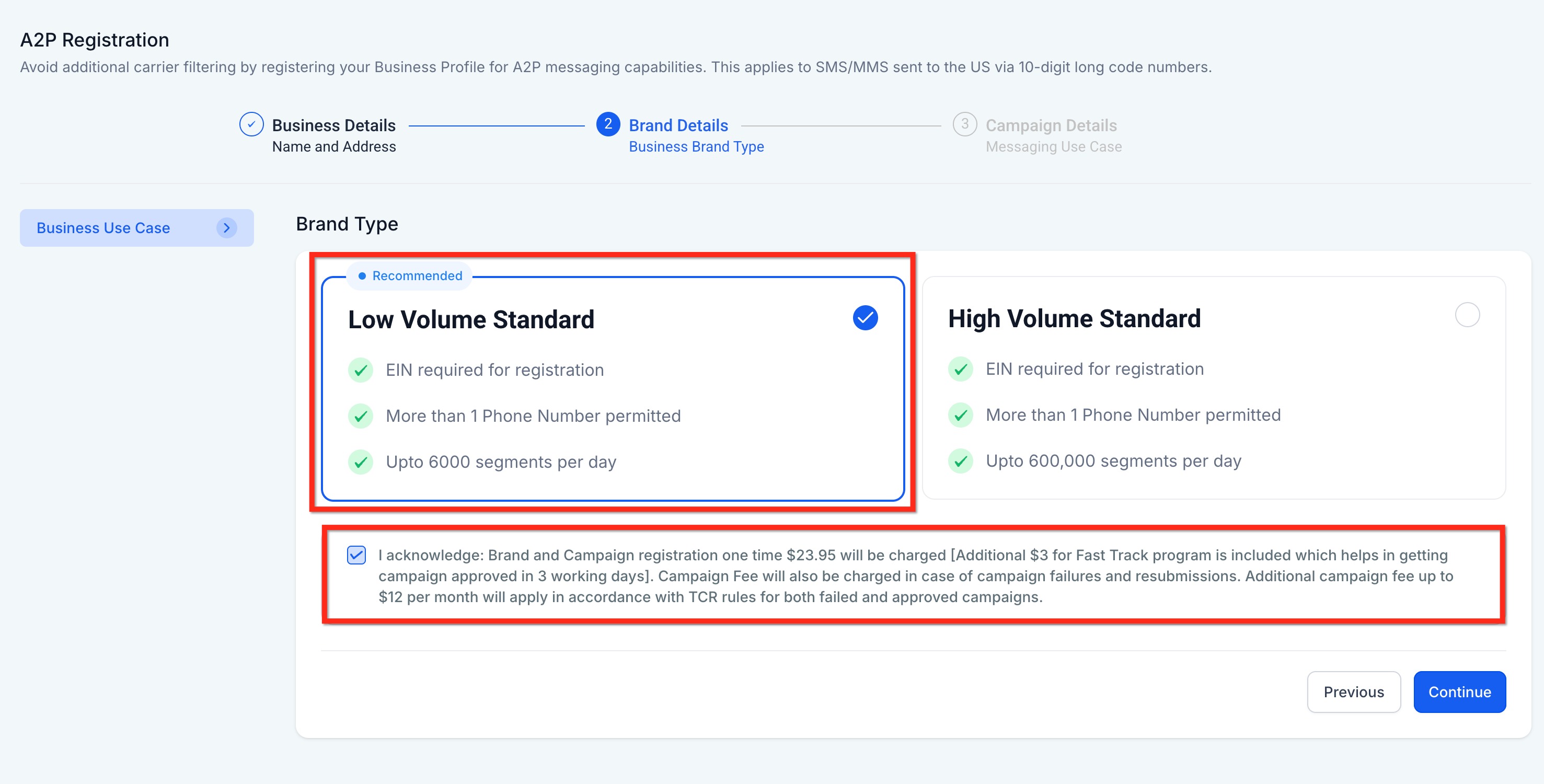
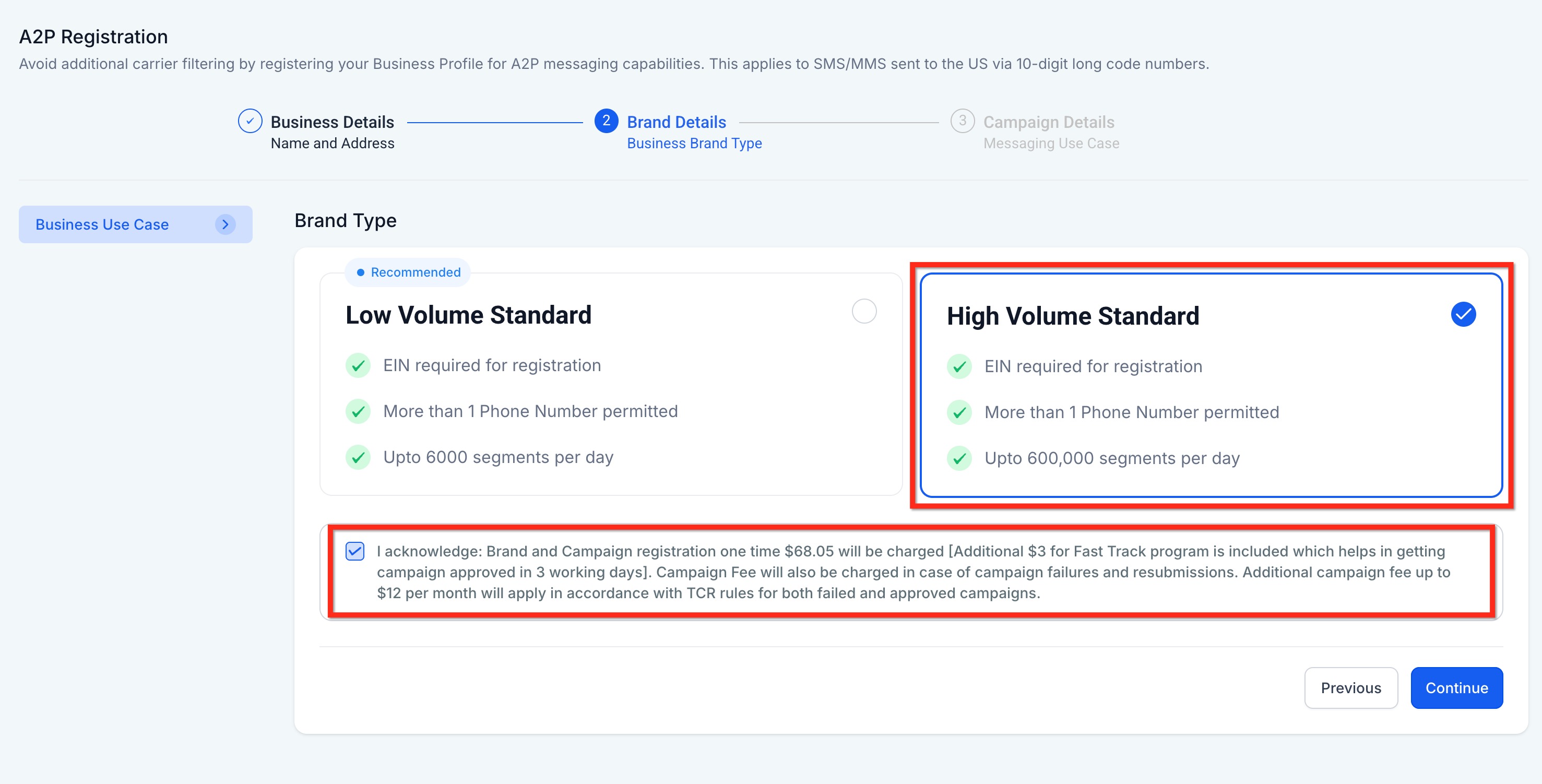
Select the Brand Type as per your need and click on Continue.
- Add Campaign Details
- In the Use Case Description field, explain what the campaign will be used for. Example: This campaign sends appointment information - confirmation & reminder messages to customers once they have booked an appointment with company_name on website and opted in to receive promotional and notification SMS from company_name.
This campaign sends medication compliance reminders and dose tracking notifications to patients who have been prescribed peptide therapy treatments atYour Clinic Name. Messages are sent only to patients who have provided written consent and opted in to receive treatment-related SMS communications fromYour Clinic Name. The campaign includes pre-dose reminders, dose-time alerts, and compliance check-ins to ensure proper medication adherence for prescribed peptide therapies.
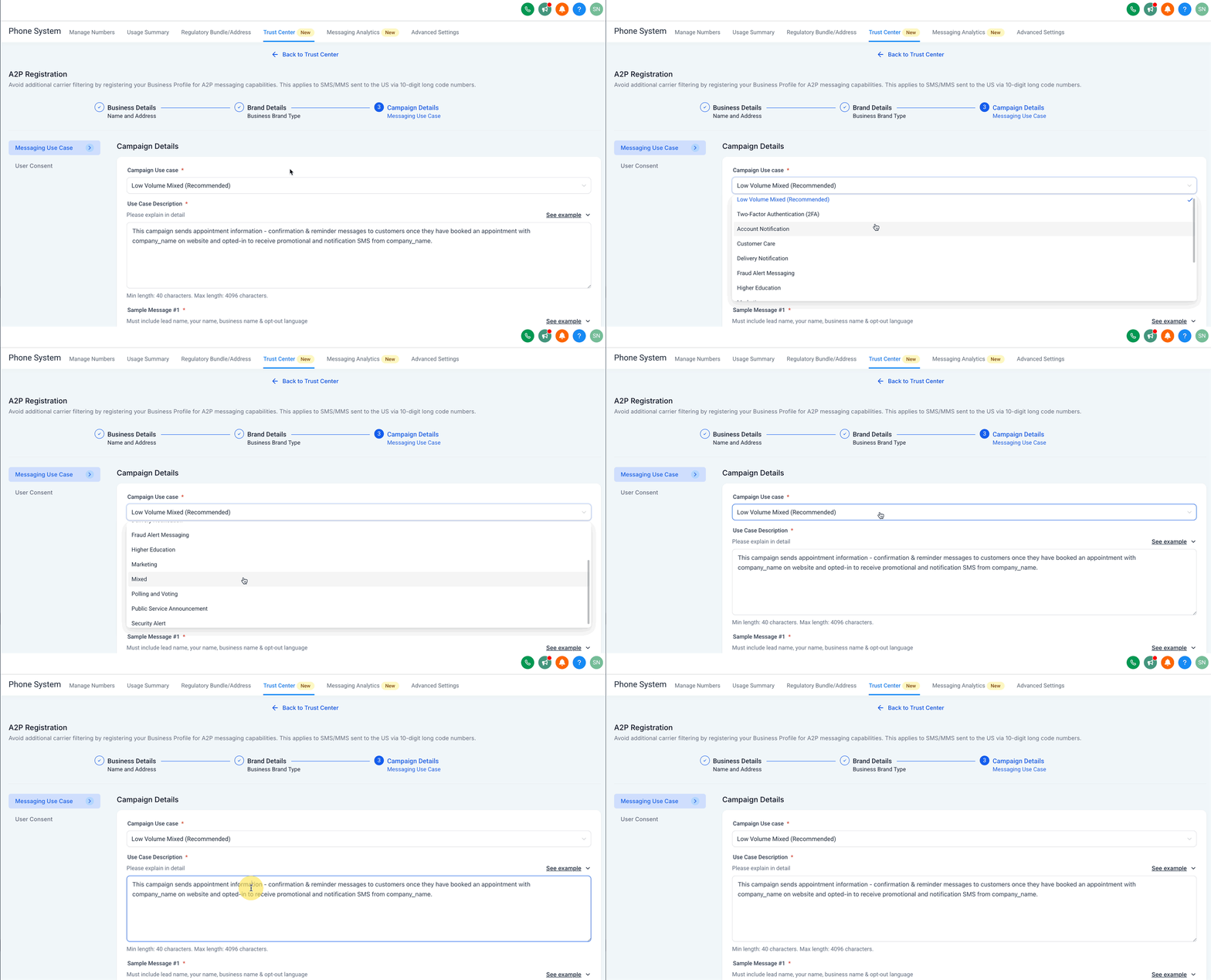
- Add Sample Message #1 & #2
- In the Sample Message #1 field, provide a message that includes:
- Lead's Name
- Your name
- Business name
- Opt-out language (e.g., Reply STOP to unsubscribe)
- Example:
- Provide a second sample message in the Sample Message #2 filed with the same required elements as above. Example:
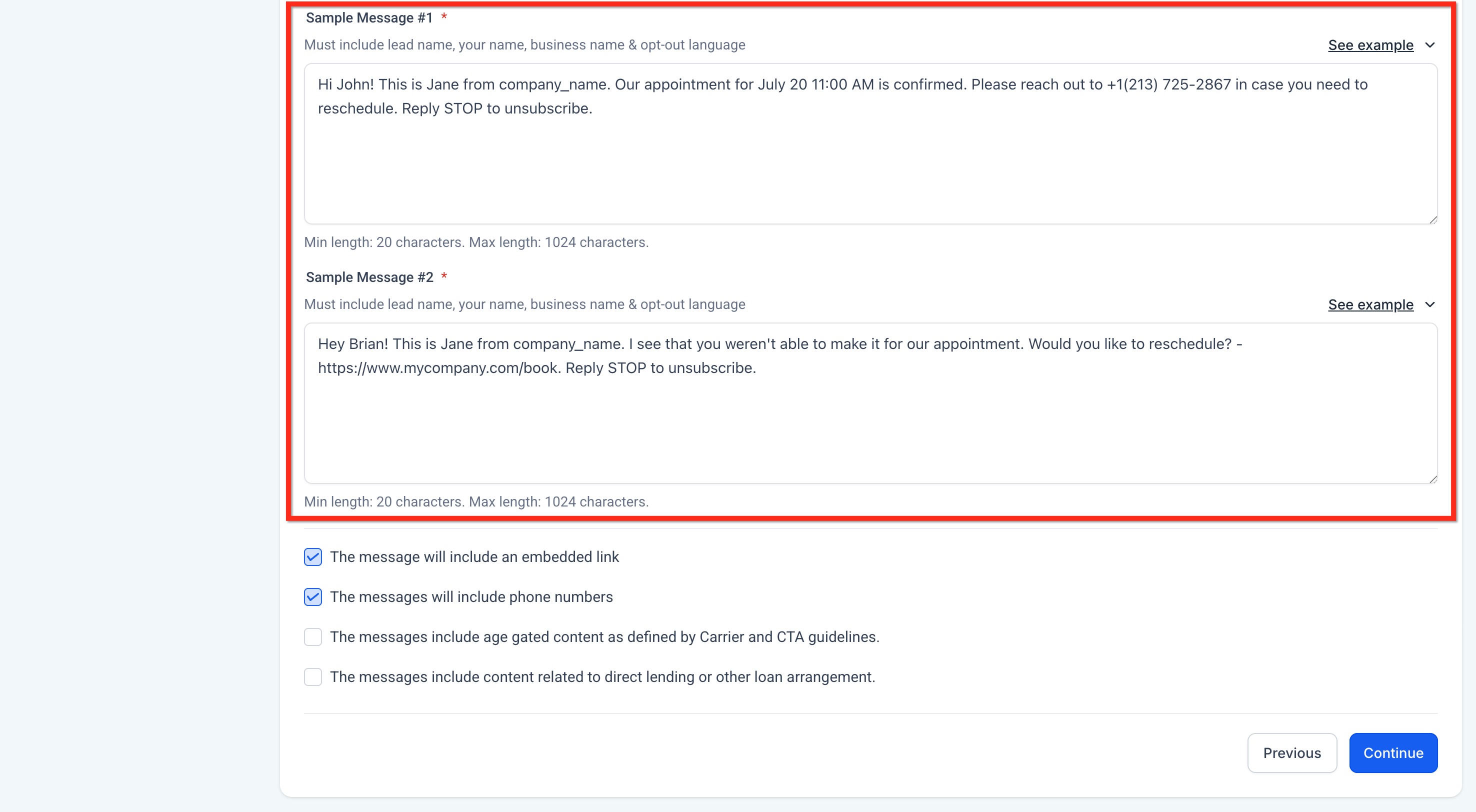
Hi Sarah! This isDoctor's NamefromYour Clinic Name.Your BPC-157 dose is due in 10 minutes. Please take your medication and log it here:Your Login Link.Reply STOP to unsubscribe.
Hi Sarah! This isDoctor's NamefromYour Clinic Name.I see you missed your CJC-1295 dose today. Please take it now if within your window and log atYour Login Link.Reply STOP to unsubscribe.
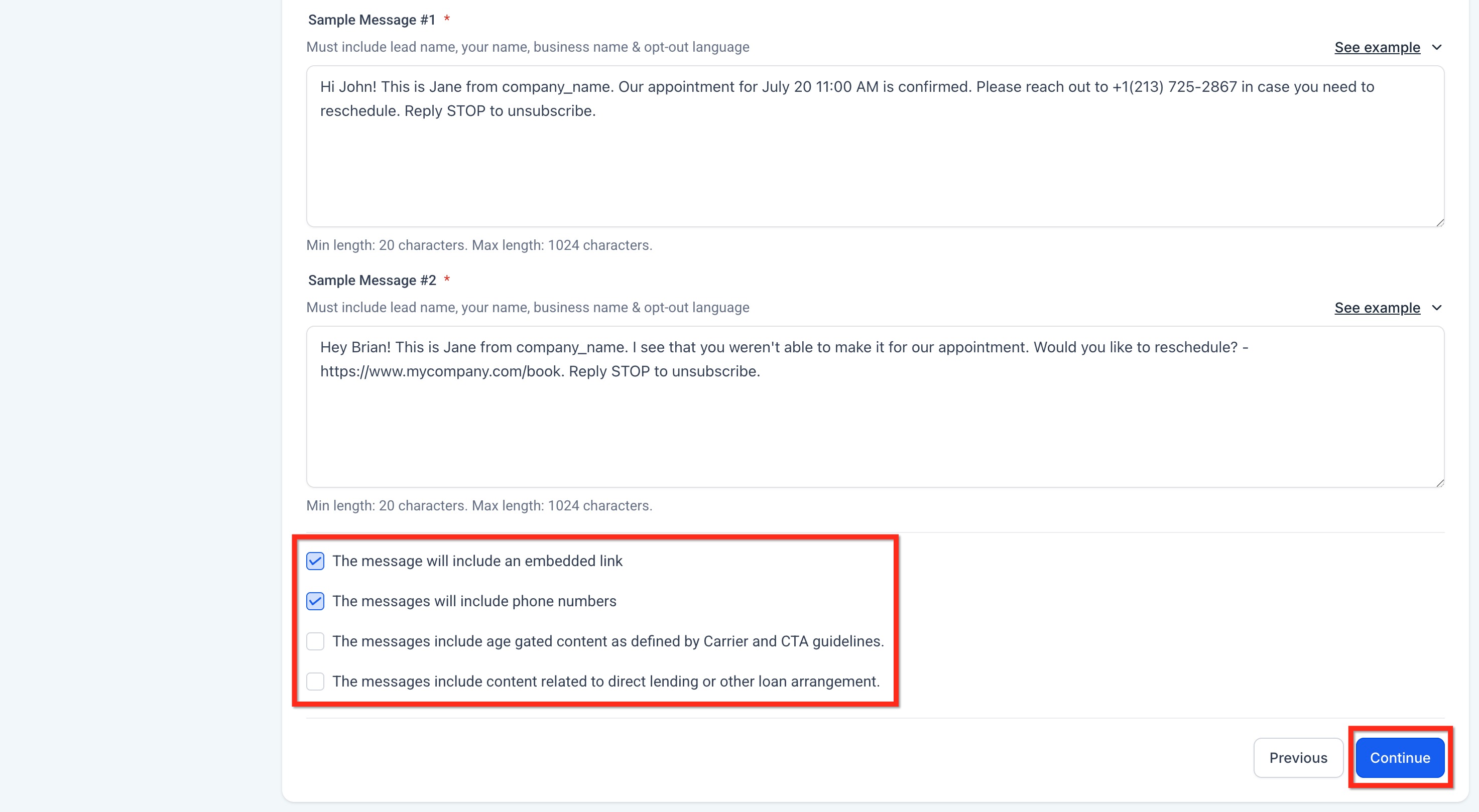
- Choose Content Included in Your MessagesSelect the options that your messages might include:
- The message will include an embedded link.
- The messages will include phone numbers.
- The messages include age-gated content as defined by Carrier and CTA guidelines.
- The messages will include content related to direct lending or other loan arrangements.
- Click on Continue.
- User Consent
- In the "How do lead/contacts consent to receive messages?" field, explain how users opt in.
- Be specific about the method (e.g., website form, SMS keyword).
- Example:
To comply with carrier regulations, you’ll need to provide details on how your contacts give consent to receive messages and what your opt-in message looks like. Follow these steps:
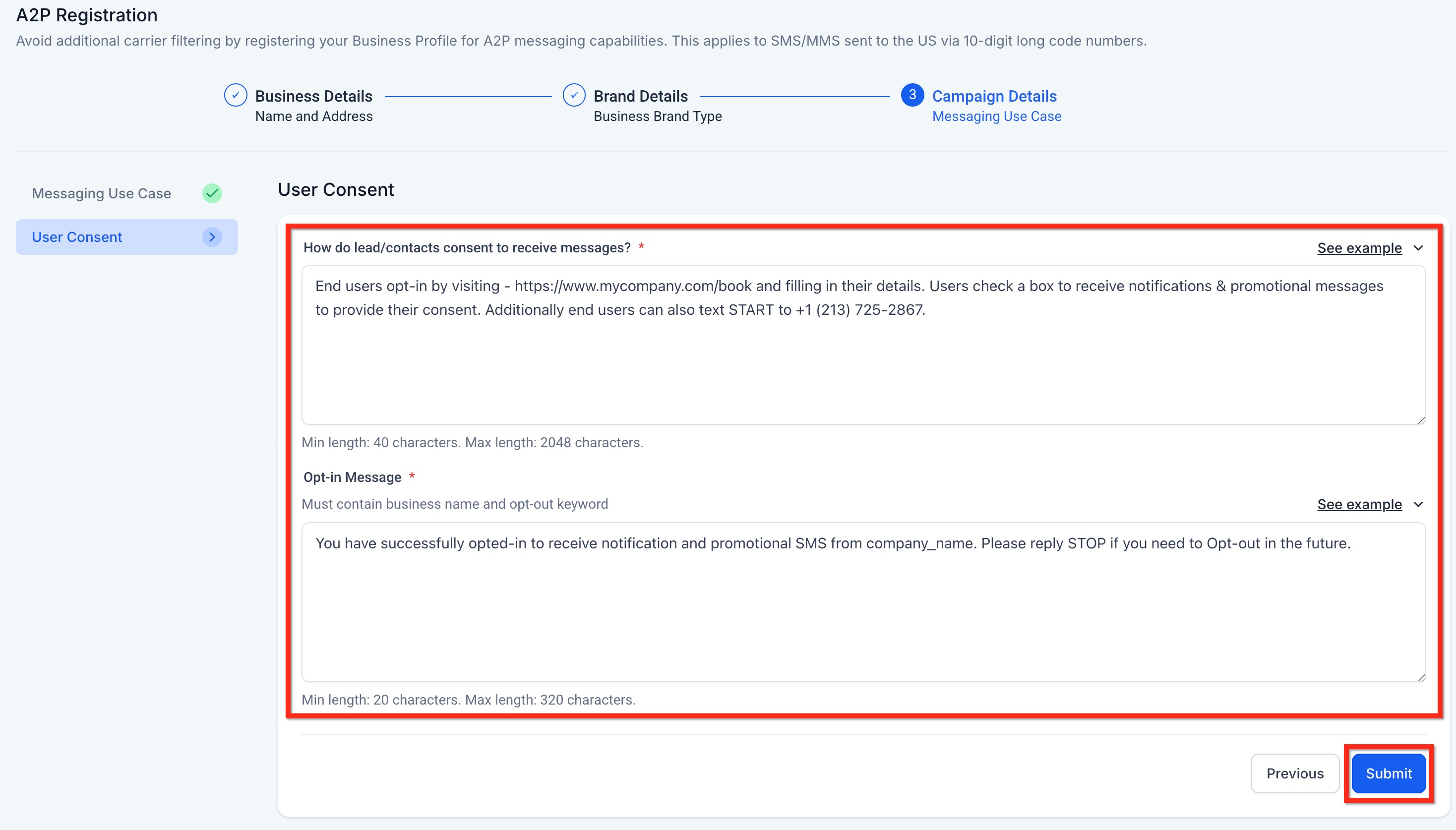
Describe the Consent Process:
End users opt in by visitingyour websiteduring their initial consultation appointment and filling in their contact details. They check a required box to receive medication reminders and treatment compliance SMS fromYour Clinic Name. Patients also provide written consent during their in-person consultation and can text START to+1 (XXX) XXX-XXXXto provide additional consent for treatment reminders.
Add the Opt-in Confirmation Message
- In the "Opt-in Message" field, enter the confirmation message users receive once they’ve opted in.
- This message must:
- Include your business name.
- Include the opt-out keyword like STOP.
- Example:
You have successfully opted in to receive medication reminders and treatment compliance SMS from Your Clinic Name. We'll send dose reminders and tracking notifications for your prescribed peptide therapy. Reply STOP to unsubscribe.- Click on Submit.
⚠️ IMPORTANT NOTES:
- Ensure all registration information matches government records exactly.
- Non-compliance or errors will result in rejection and additional fees.
- Consult a legal professional if unsure about privacy policy, terms of service, or messaging language.
- Be aware of Sev-0 fines for prohibited content, which can range from $500-$2,000 per violation.