
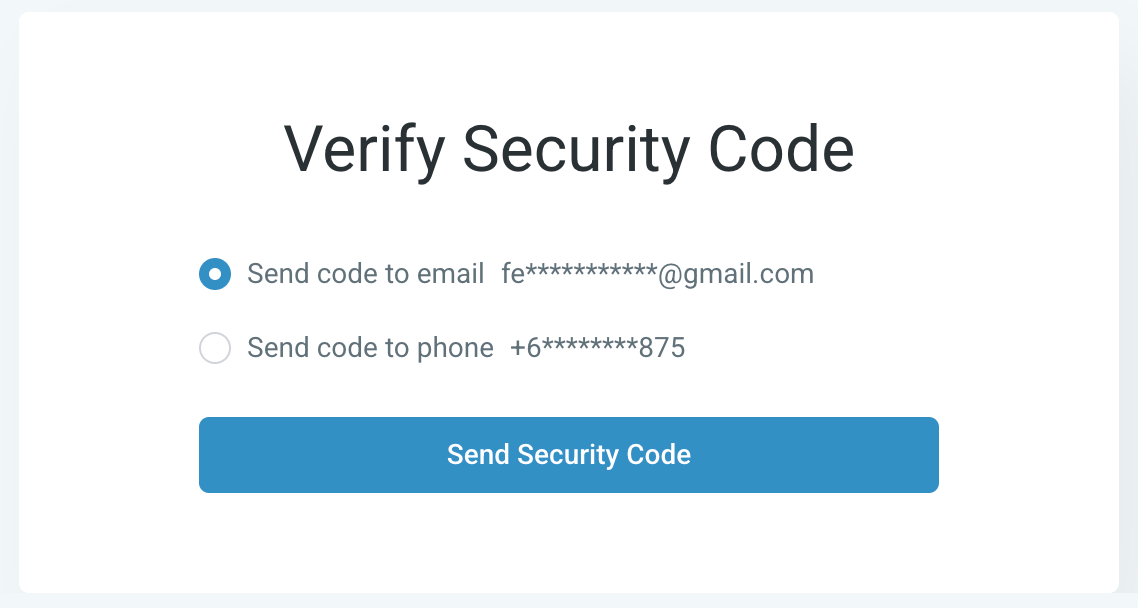
Welcome to MyDose.ai! Here's everything you need to know about activating your account and getting started with the platform.
- Check your email for the subject line "Activate Your Account | MyDose.ai" and click "Click Here to Login."
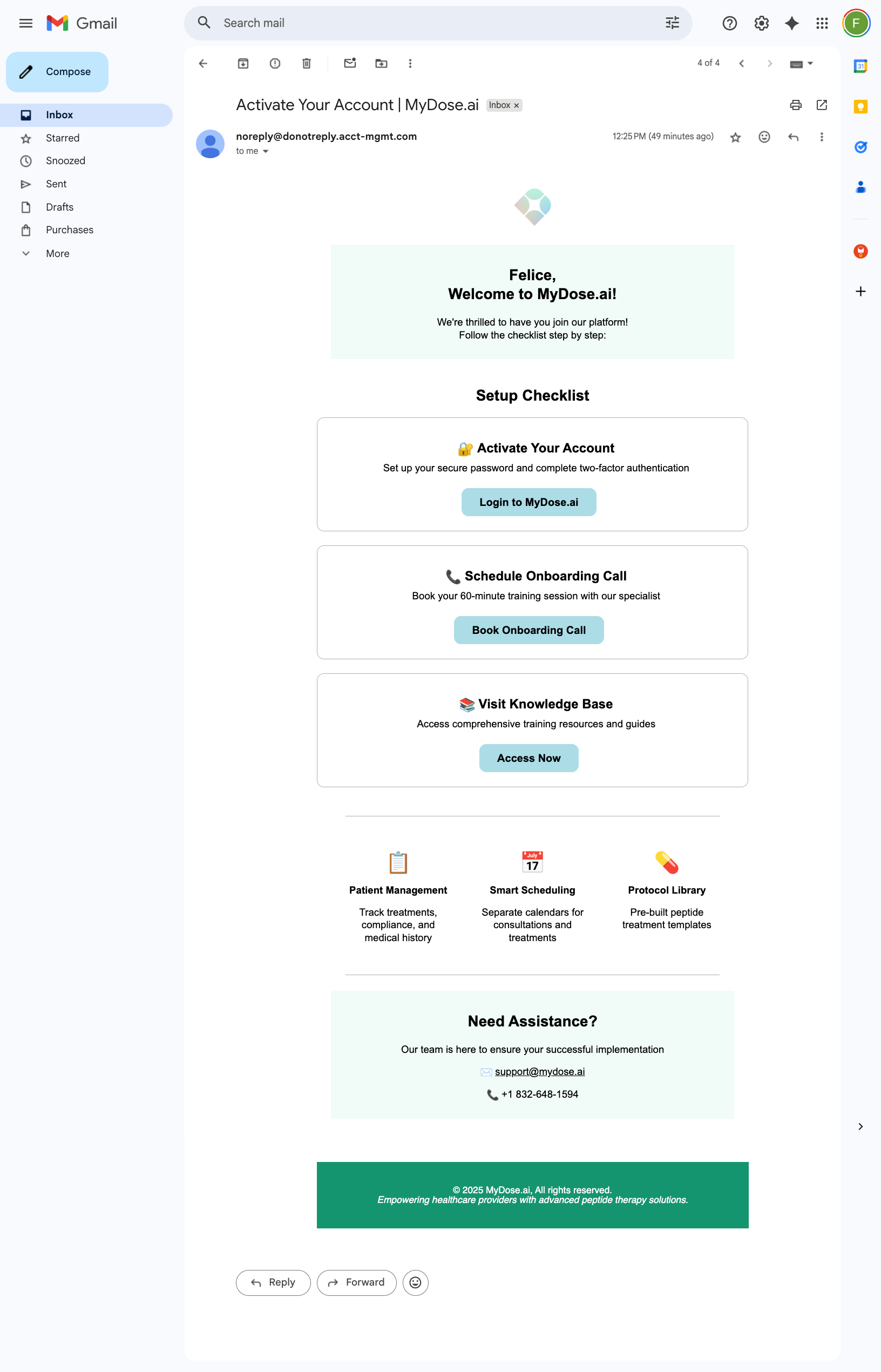
- Create your secure password following the system requirements:
- Include both upper and lower case characters
- Include at least one symbol and number
- Be at least 8 characters long
- Confirm password matches exactly
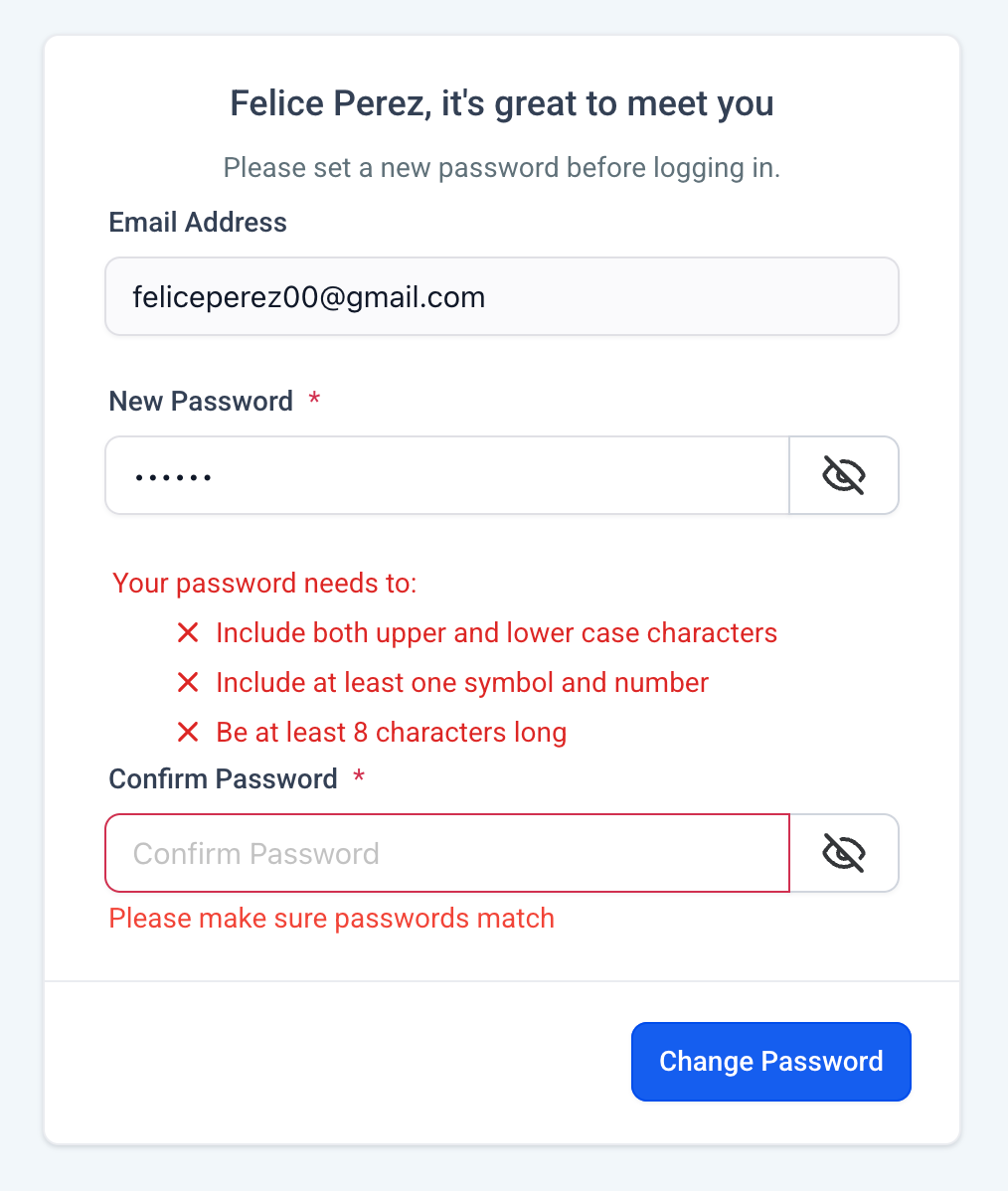
- Sign in to your account using your email address and newly created password.
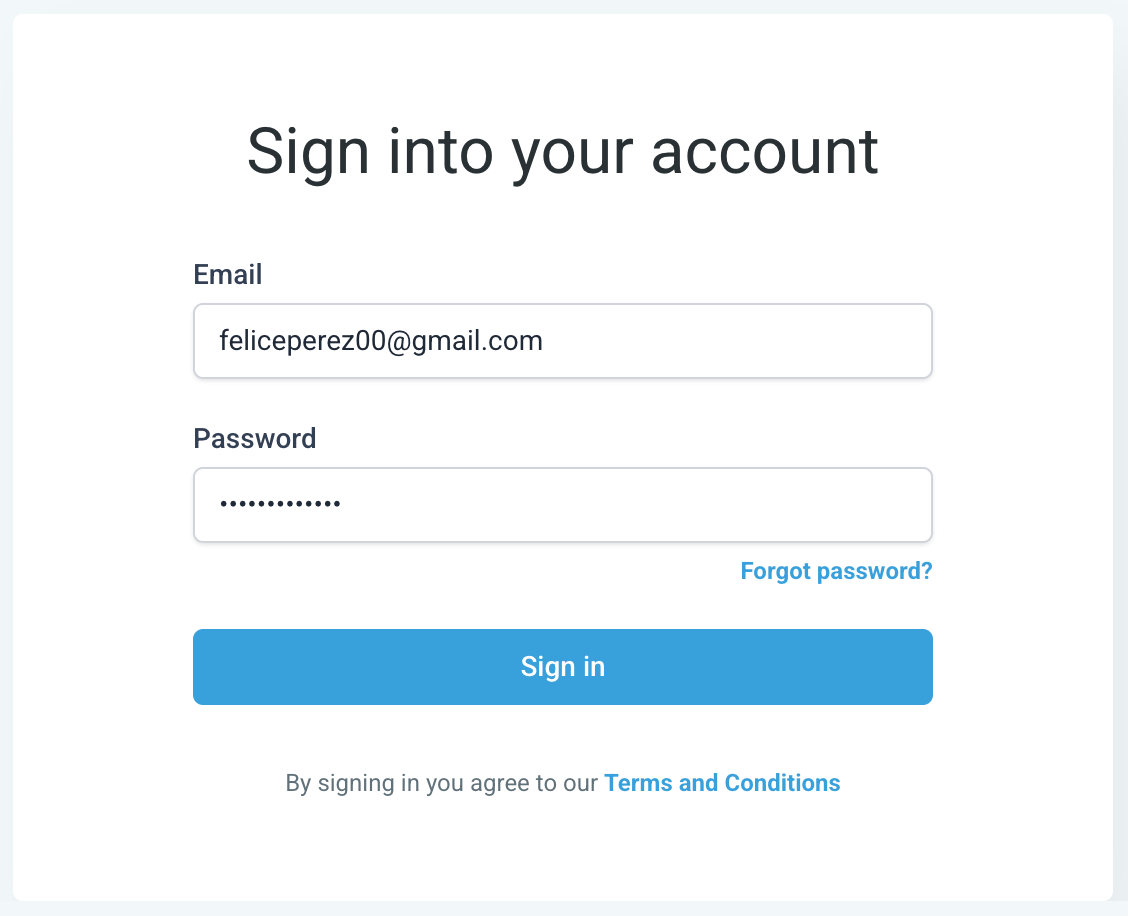
- Complete two-factor authentication by choosing to receive your security code via:
- Email (recommended for first-time setup)
- SMS to your registered phone number Enter the 6-digit code when prompted.
- Welcome to your MyDose.ai account! You now have access to your customized system based on your onboarding form responses.
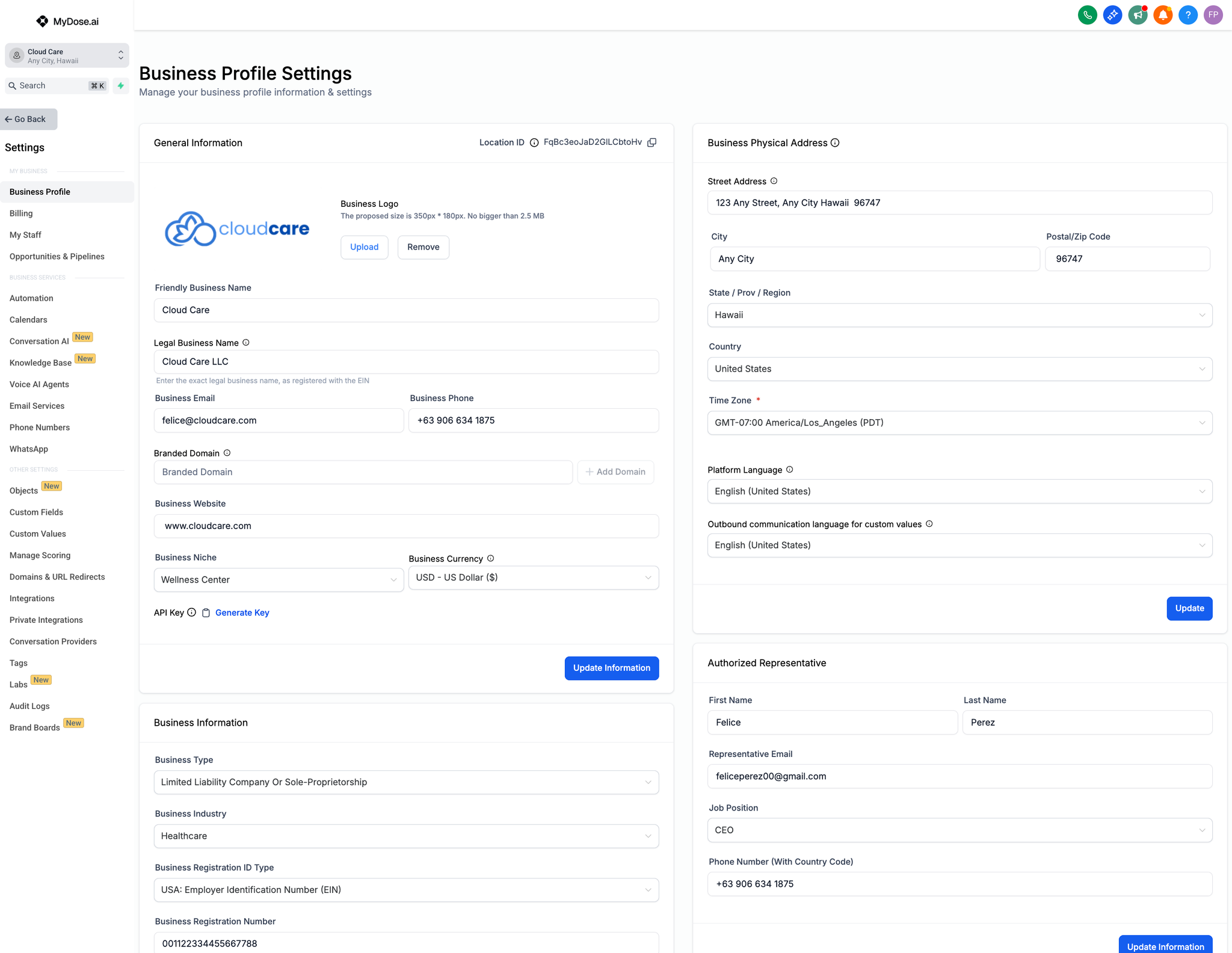
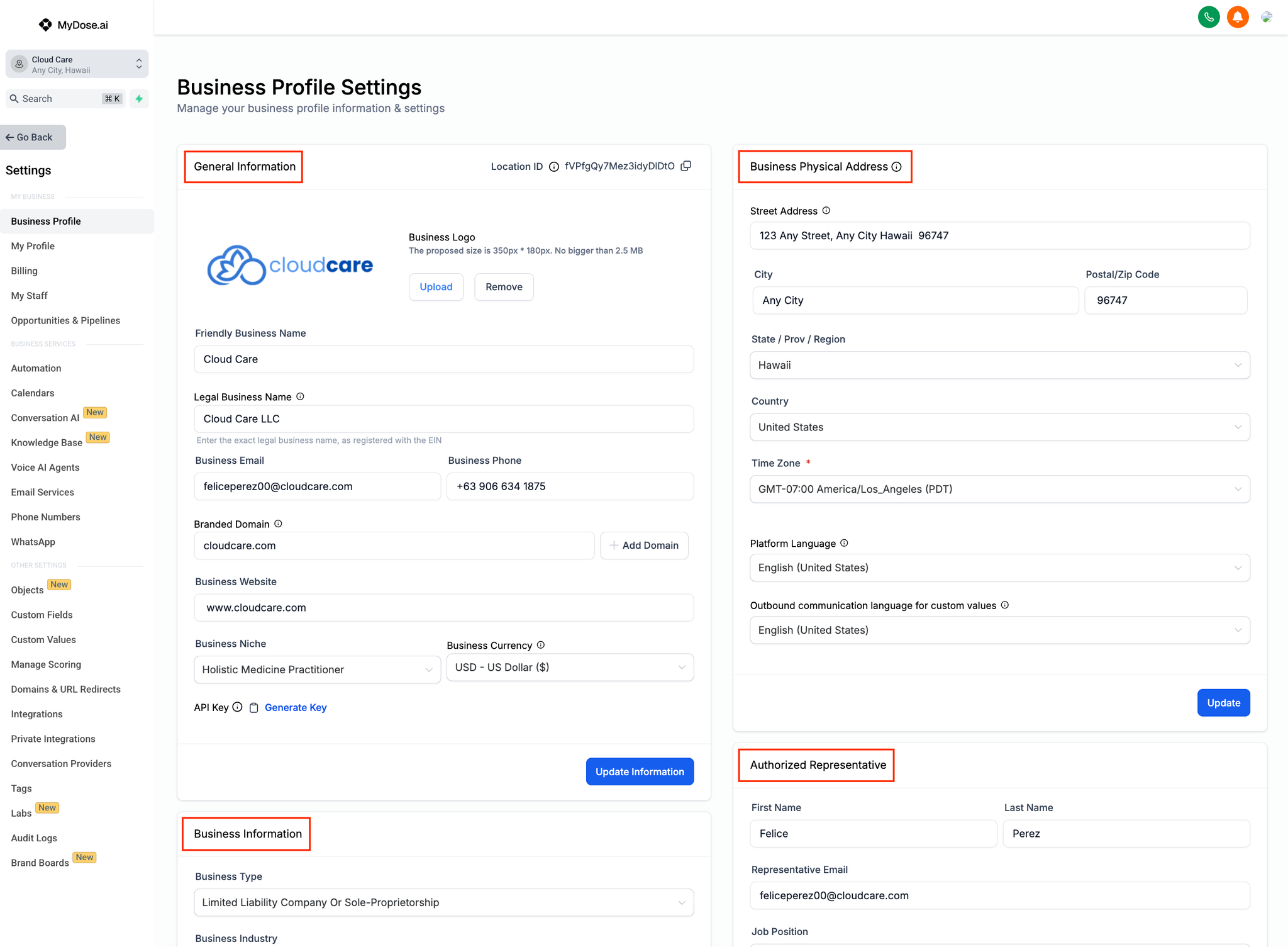
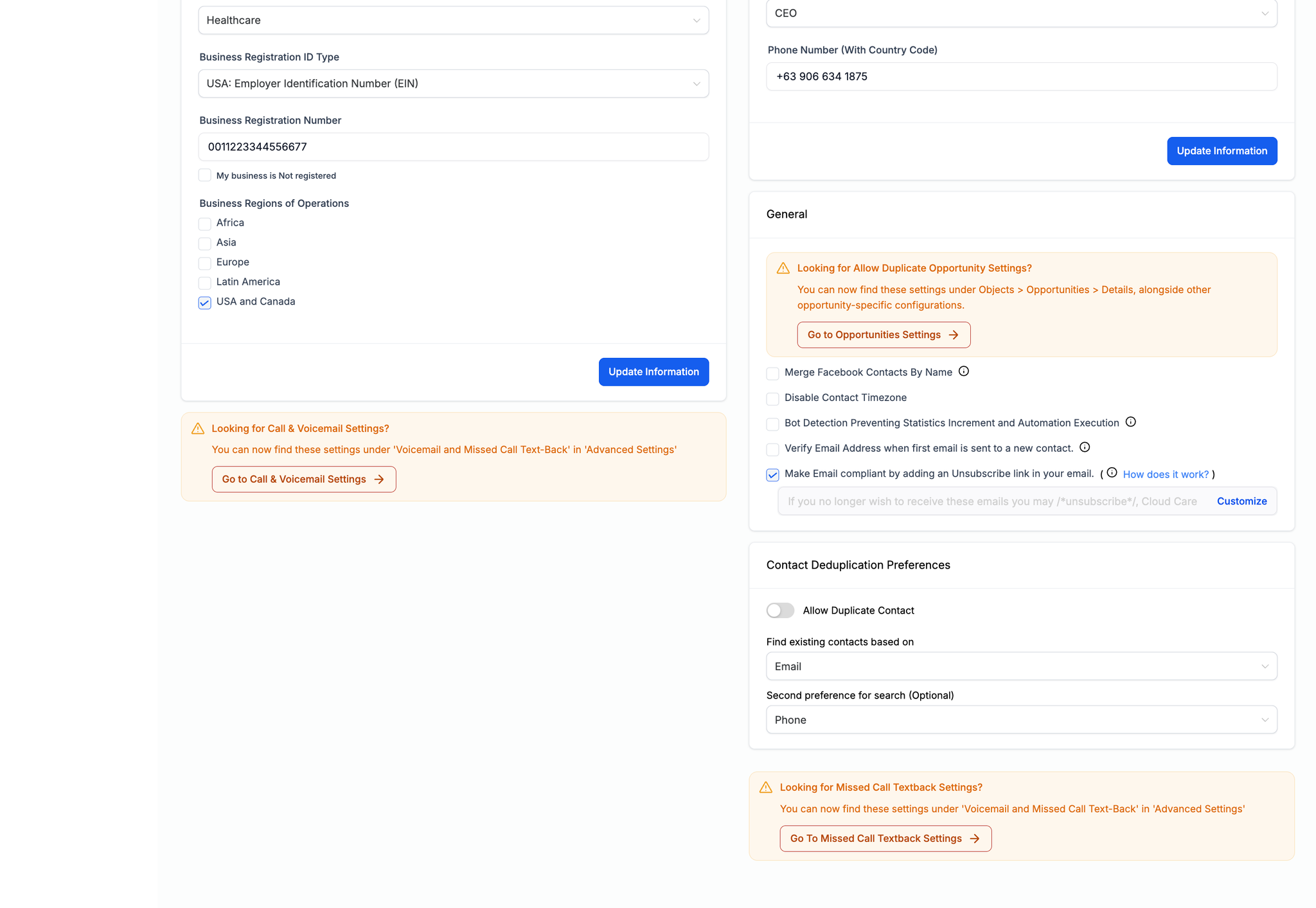
- Complete your business profile setup by navigating to Settings > Business Profile and updating:
- Upload your logo (PNG format recommended)
- Verify General Information accuracy
- Confirm Business Physical Address
- Review Business Information details
- Update Authorized Representative information
Explore the platform and prepare for your onboarding consultation - Familiarize yourself with the interface before your scheduled 60-minute training session. Your MyDose.ai specialist will provide comprehensive platform training, but exploring beforehand will help you ask better questions. Follow the preparation guidelines outlined in the "Onboarding Call Process" documentation.Onboarding Call Guidelines Documentation