
Welcome! We've made getting started with MyDose.ai as simple as possible. After your discovery call, here's exactly what happens next:
Step 1: Create Your Account
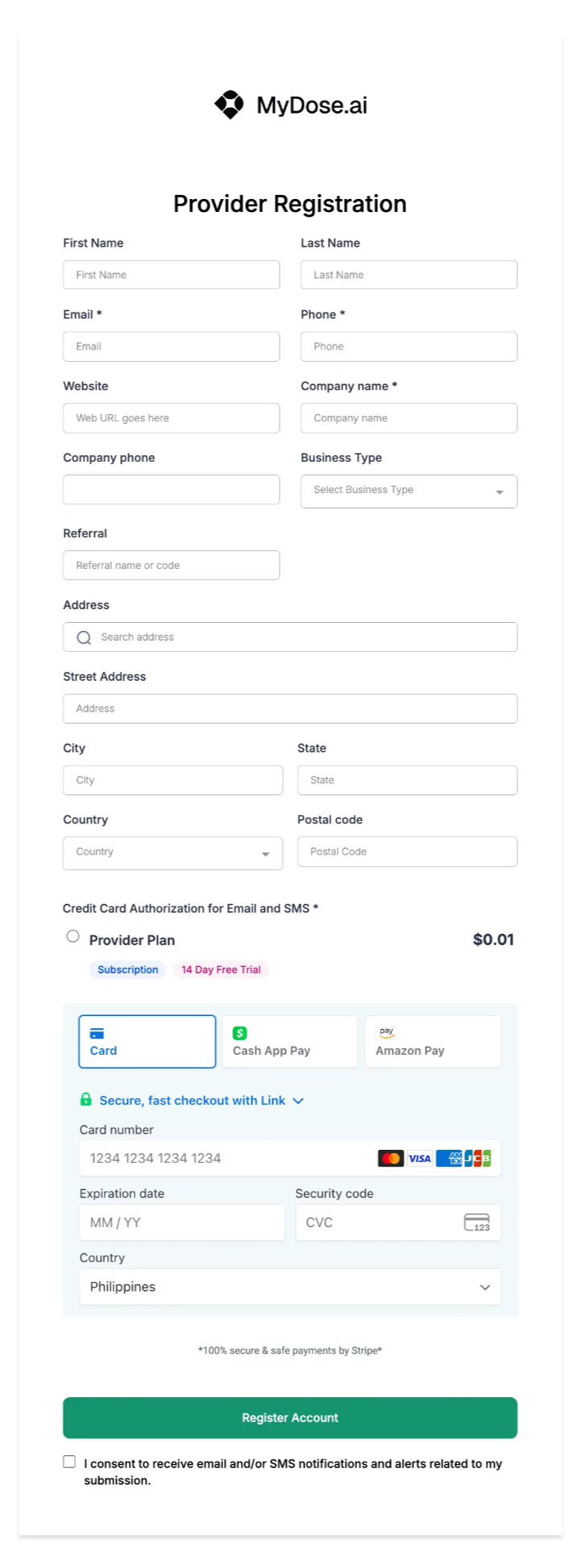
What You'll Enter:
- Personal Info: Name, email, and phone number
- Business Info: Clinic name, address, and business type
- Payment: Credit card verification to activate your 14-day free trial
- We use Stripe for 100% secure payment processing
- No charges until after your trial ends
That's it! Click "Register Account" and you're instantly redirected to Step 2.
Step 2: Tell Us About Your Clinic

Why This Matters:
This form helps us customize MyDose.ai specifically for YOUR clinic—your branding, your services, your workflow. The more you share, the more personalized your platform will be.
What We'll Ask About:
- Your Services: What treatments and peptides do you offer?
- Your Branding: Upload your logo, share your brand colors
- Your Social Media: Connect your Facebook, Instagram, Google Maps
- Your Operations: How you schedule appointments, handle payments, manage patients
- Your Goals: What features are most important to you?
Don't Worry: All fields are optional except the basics. You can skip anything you're unsure about—we'll cover it during your onboarding call!
Customization Timeline: Once submitted, our team gets to work customizing your platform. This takes 2-3 business days.
Step 3: Book Your Onboarding Call
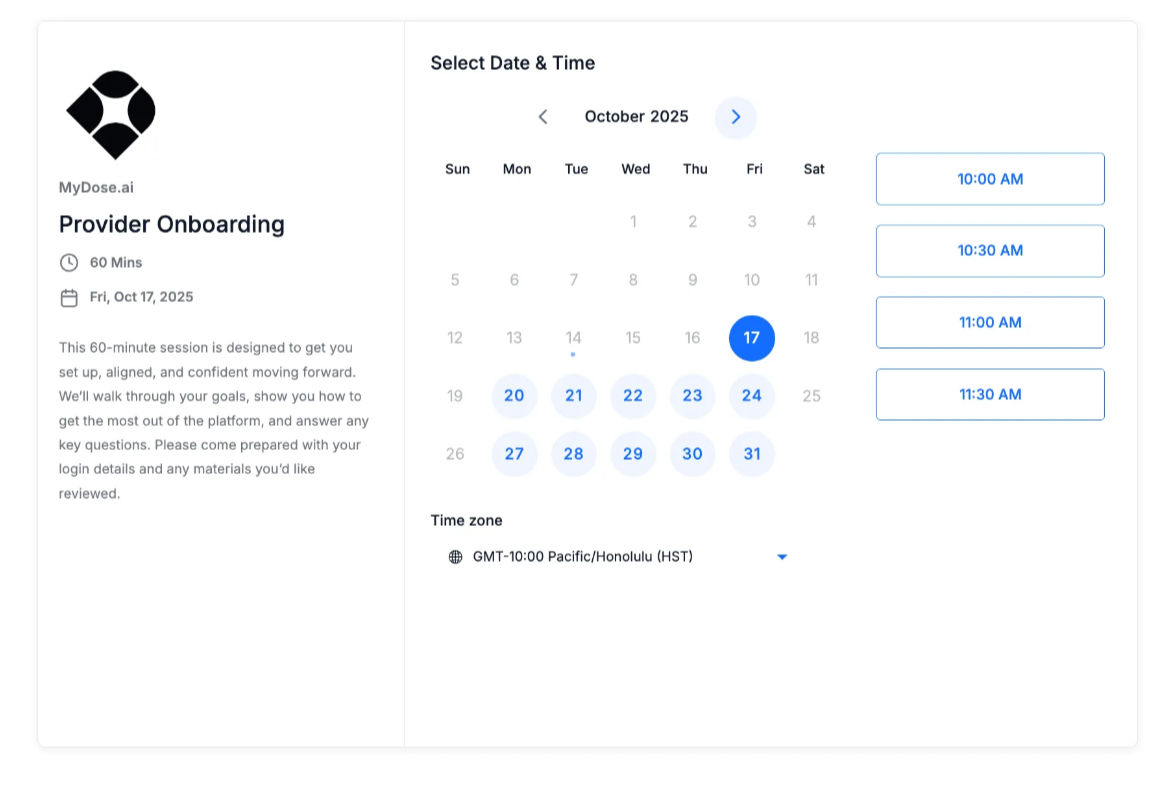
Your 60-Minute Onboarding Session:
On the date of your booked call, our dedicated onboarding specialist will:
- Walk you through the entire platform
- Show you how to create treatment plans
- Set up your calendar and appointments
- Configure automated patient communications
- Answer all your questions
- Help you add your first patients (if you're ready!)
How to Schedule:
- Pick a date from the calendar (we show available times in your timezone)
- Choose a time slot that works for you
- Click "Confirm Booking"
Done! You'll instantly receive a confirmation email with your video call link.
What Happens Next?
Immediately After Booking:
You'll receive 2 emails within minutes:
📧 Email 1: Welcome Email
- Your login credentials
- Platform access link: https://app.mydose.ai
- Links to helpful resources
📧 Email 2: Onboarding Call Confirmation
- Meeting date, time, and video link
- Add-to-calendar options (Google, Outlook, iCal)
- What we'll cover during the call
For complete details on account activation, platform customization, and what to expect during your onboarding call, visit: MyDose.ai Account Activation