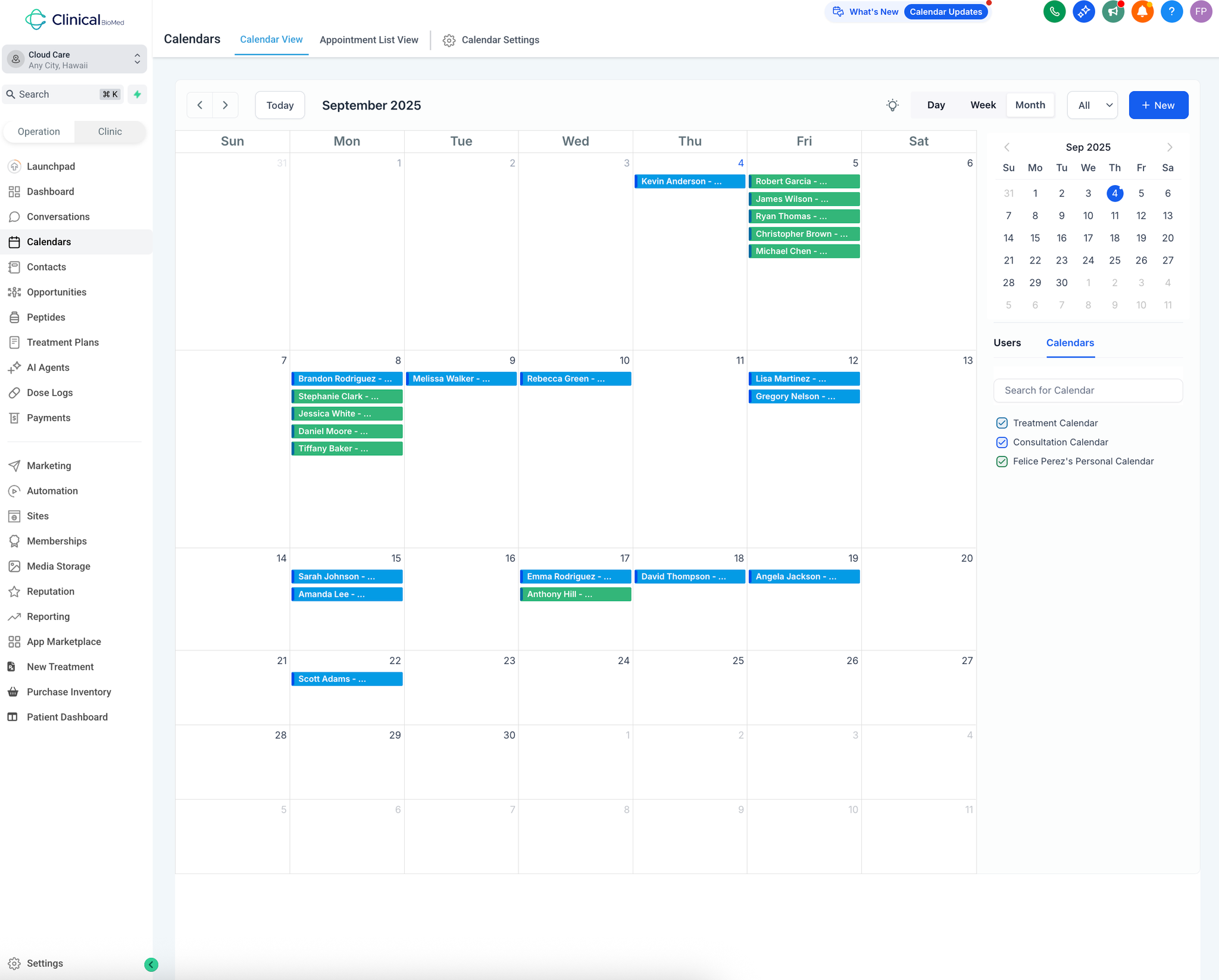
Access your scheduling dashboard by navigating to the Calendars page - this displays September 2025 with all appointments color-coded by type across the entire month.
Distinguish between appointment types using the visual color system:
Blue appointments: Consultations
Green appointments: Treatment sessions
Color coding allows instant recognition of appointment types
Optimize scheduling efficiency by batching similar appointment types:
Group treatment appointments together for operational efficiency
Schedule consultations when you need longer time blocks
View capacity at a glance to identify available slots
Calendar Management Controls
Manage multiple calendar views using the right sidebar options:
Treatment Calendar: Toggle to view only treatment appointments
Consultation Calendar: Display only consultation bookings
Personal Calendar: Include personal scheduling needs
Combined view: See all calendars simultaneously or filter individually
Switch between time views based on your planning needs:
Day view: Detailed daily schedule with time slots
Week view: Sunday through Saturday overview with time slots
Month view: Big picture scheduling for capacity planning
Time Blocking and Availability
Block time for non-appointment activities using the New option:
Select time period for blocking (e.g., September 26-29)
Choose appropriate calendar (consultation or treatment)
Add description (e.g., "Out of Office - Vacation")
Prevent scheduling conflicts during unavailable periods
Maintain scheduling integrity through integrated workflow:
System prevents double-booking across all calendar types
Automatic integration with patient pipeline stages
Online booking system updates calendar in real-time
Patient progression from booking to pipeline stages occurs automatically