
Order peptides in bulk and have them directly delivered to your clinic.
Step 1: Navigate to Purchase Inventory
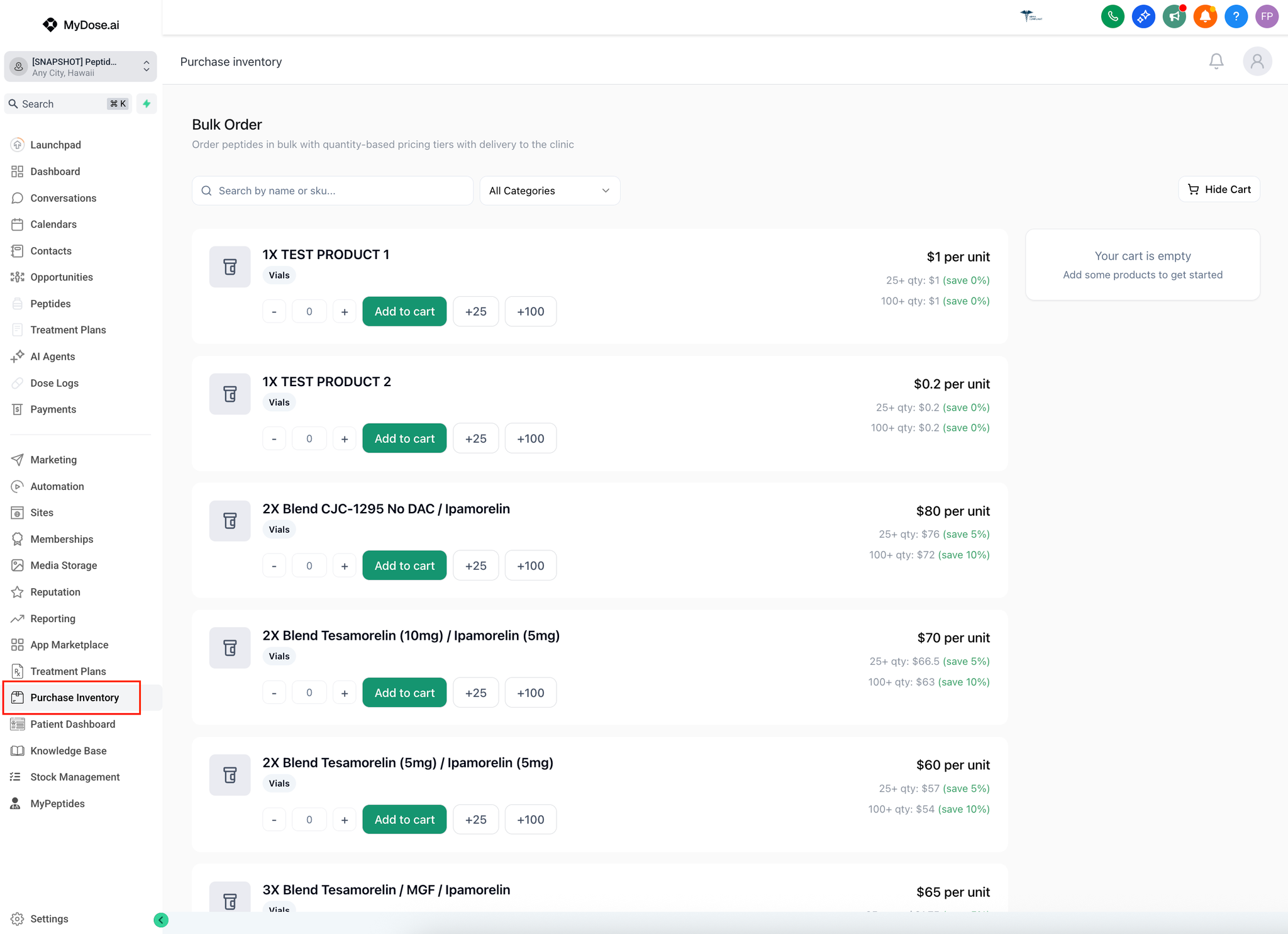
- From your dashboard, click "Purchase Inventory" in the left sidebar
- Search & Filter Options:
- Search Bar:
- 🔍 "Search by name or sku..."
- Quick find specific peptides
- Category Filter:
- Dropdown: "All Categories"
- Filter by peptide type or therapeutic category
Step 2: Add Products to Cart
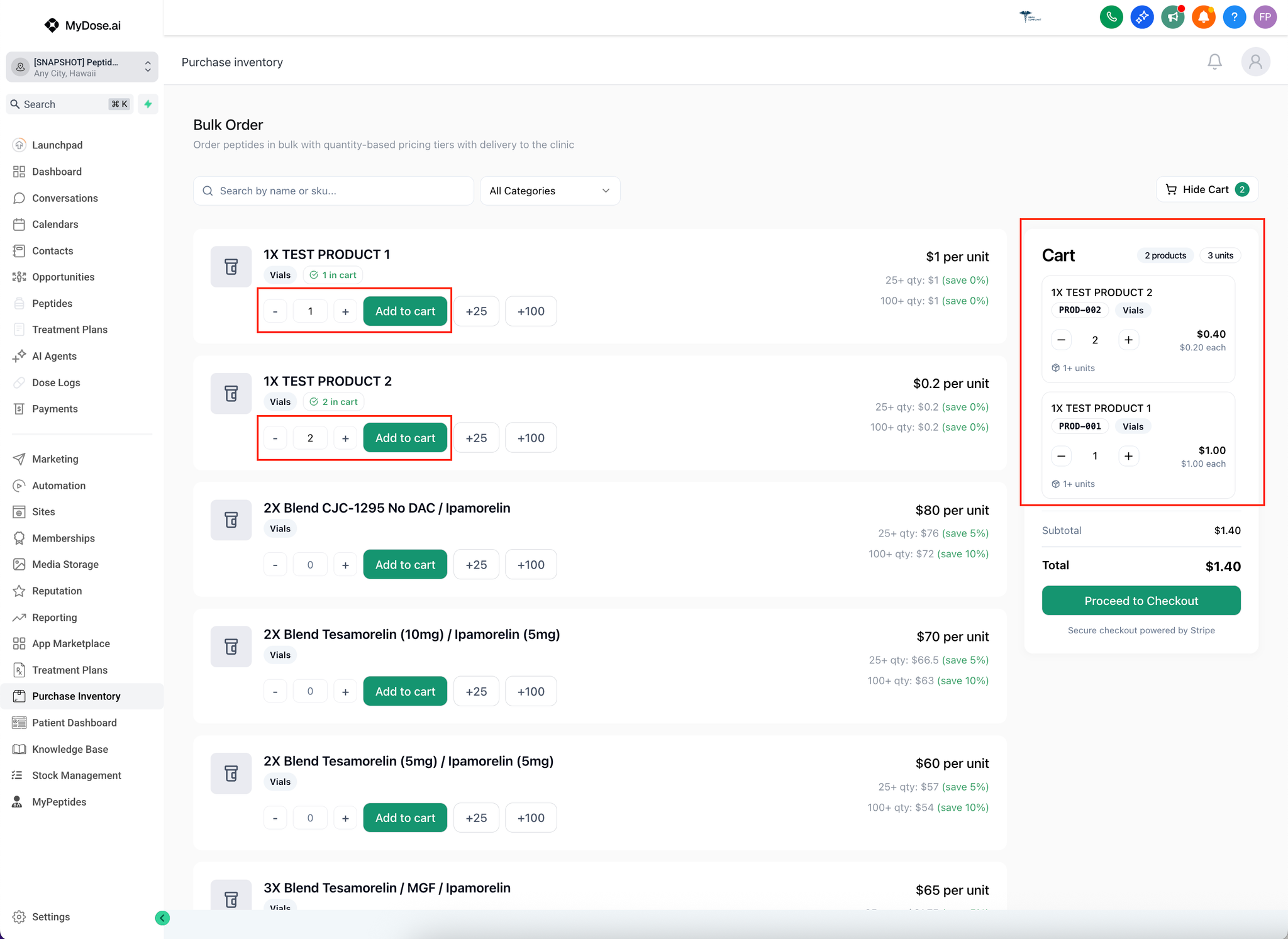
- Browse the peptide catalog - Each product shows:
- Product name and type
- Price per unit
- Volume discount tiers (save 5% at 25+ units, save 10% at 100+ units)
- Select quantities using:
- [-] and [+] buttons to adjust quantity
- [+25] button to quickly add 25 units
- [+100] button to quickly add 100 units
- Click "Add to cart" for each product you want to order
- Verify your cart on the right side:
- Review products, quantities, and prices
- Adjust quantities if needed using the [-] and [+] buttons in the cart
- Check the subtotal and total
Step 3: Proceed to Checkout & Complete Your Order
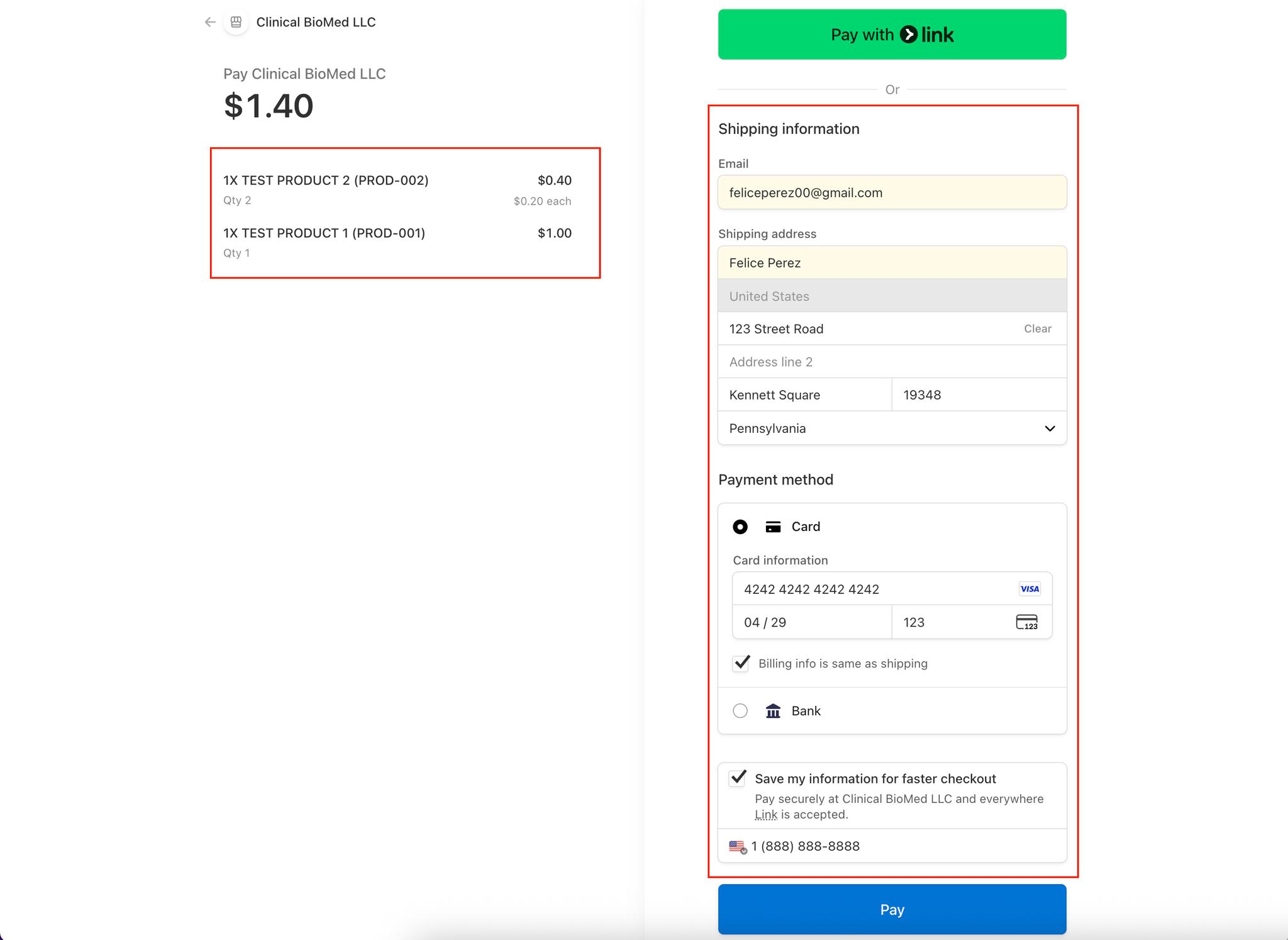
- Click "Proceed to Checkout" (green button at bottom of cart)
- You'll be redirected to a secure Stripe checkout page powered by Clinical BioMed (your peptide supplier)
- Review Your Order:
- Verify all products and quantities are correct
- Check the total amount
- Payment Options:
- Option 1: Pay with Link
- Click the green "Pay with Link" button for one-click checkout
- Option 2: Manual Checkout
- Enter/verify shipping information:
- Email address
- Full name
- Street address
- City, State, Zip code
- Country
- Select payment method:
- Card: Enter card number, expiration date, and CVC
- Bank: Choose bank transfer option for larger orders
- Optional: Check boxes for:
- ✓ "Billing info is same as shipping"
- ✓ "Save my information for faster checkout"
- Click "Pay" (blue button) to complete your purchase
- Order summary
- Estimated delivery date
- Invoice/receipt